It is not only a fully functional graph visualization library, but also an explorer of data relationships.
!!!###!!!title=plugin usage——VisActor/VTable tutorial documents!!!###!!!!!!###!!!description=Get the plugin package```bashnpm install @visactor/vtable-plugins```Import plugins```tsimport { TableCarouselAnimationPlugin } from '@visactor/vtable-plugins';```Use the plugin ```tsconst tableCarouselAnimationPlugin = new TableCarouselAnimationPlugin({ ...});```Add the plugin to the plugin list```tsconst option: VTable.ListTableConstructorOptions = { ... plugins: [tableCarouselAnimationPlugin]};```Combining multiple plugins```tsconst option: VTable.ListTableConstructorOptions = { ... plugins: [tableCarouselAnimationPlugin, ...]};```The order of plugin usage generally has no special requirements. Please carefully read the documentation for each plugin to understand its execution timing, and if necessary, refer to the plugin's source code.If you encounter issues with plugin usage, please provide feedback promptly.!!!###!!!
The order of plugin usage generally has no special requirements. Please carefully read the documentation for each plugin to understand its execution timing, and if necessary, refer to the plugin's source code.
If you encounter issues with plugin usage, please provide feedback promptly.
cdn import
Due to the underlying vrender environment restriction, it is not possible to directly import the vtable-plugins umd package! ! !
And it is necessary to import both the vrender and vtable umd packages to work properly.
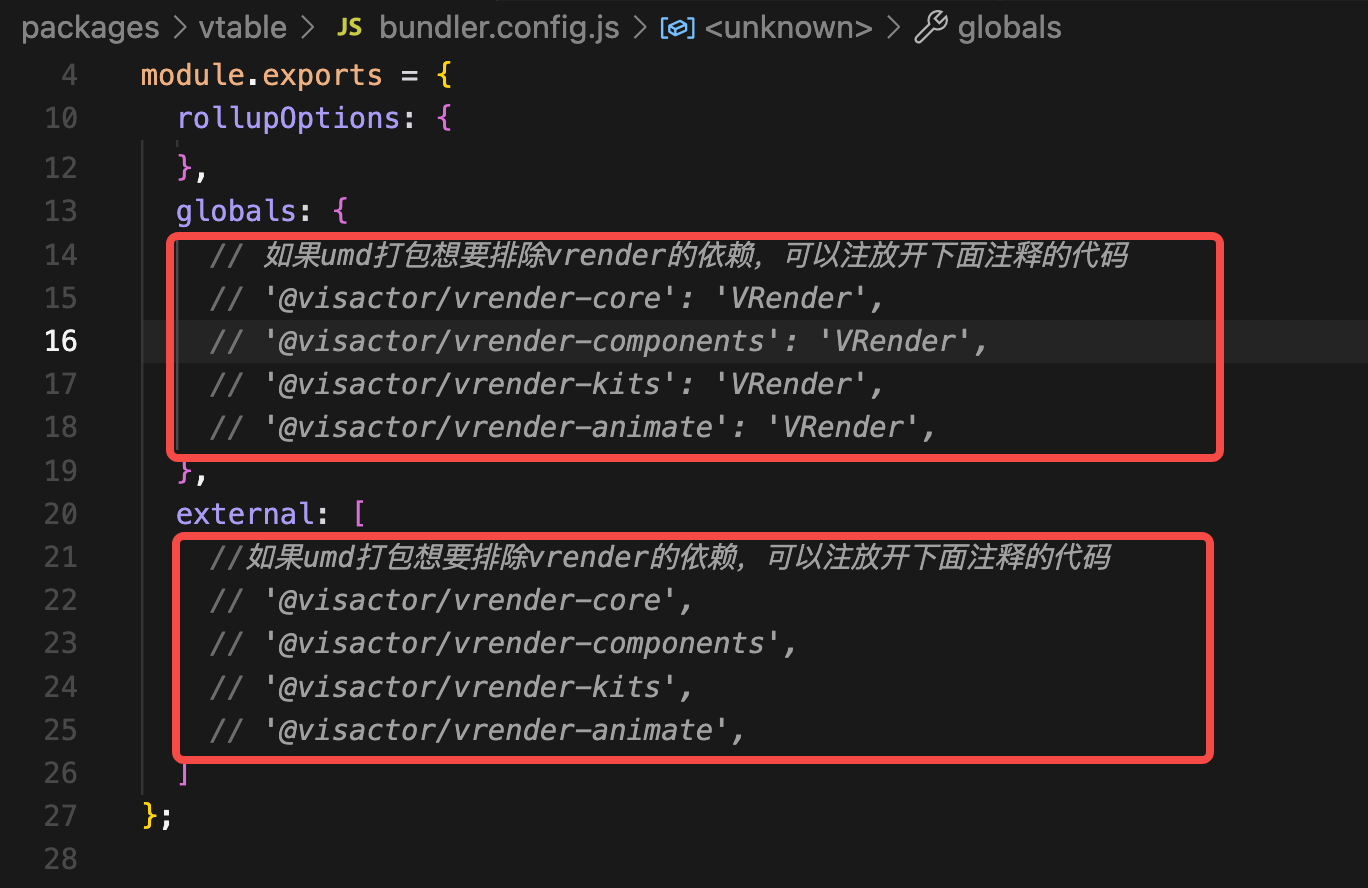
The vtable umd package cannot also use the unpkg platform, the user needs to fork the vtable source code first, and then package a vtable umd package themselves! ! !
Before packaging, it is necessary to release the commented code about vrender in the packaging configuration. Run the command cd packages/vtable && rushx build to get the vtable.js file in the dist directory.