It is not only a fully functional graph visualization library, but also an explorer of data relationships.
!!!###!!!title=button——VisActor/VTable tutorial documents!!!###!!!!!!###!!!description=Button cell type is suitable for providing button interactions in tables, allowing users to click buttons for specific operations. The interactive capability provided by button cell type is widely used in many applications.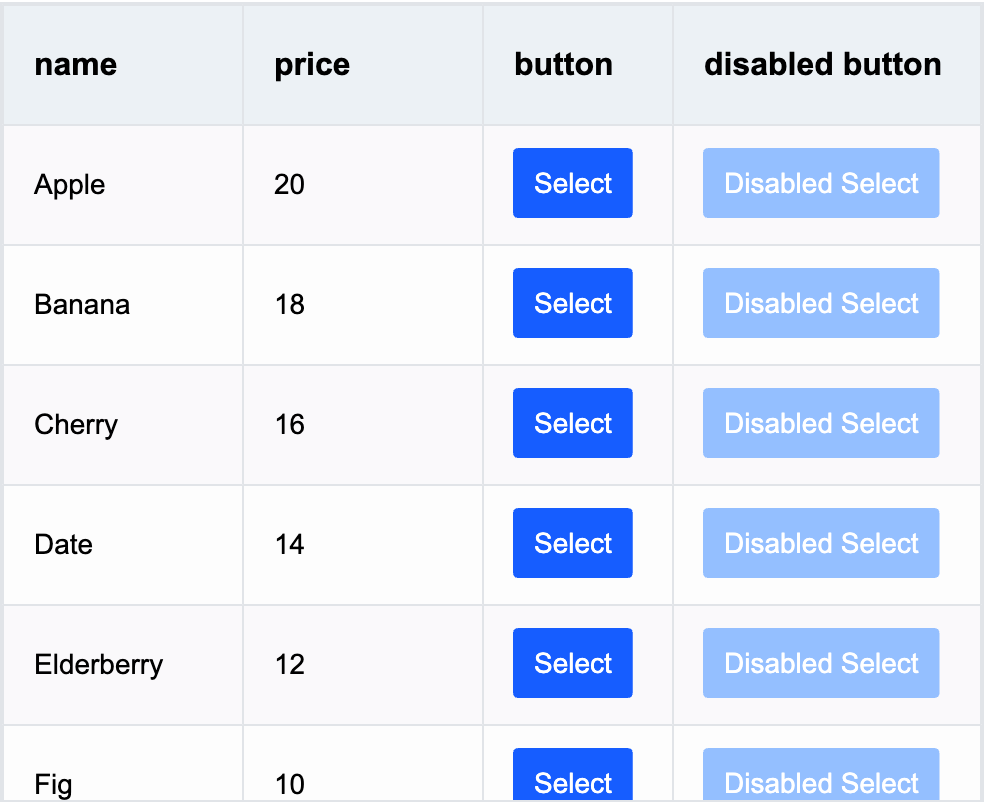!!!###!!!
Button Cell Type
Button cell type is suitable for providing button interactions in tables, allowing users to click buttons for specific operations. The interactive capability provided by button cell type is widely used in many applications.
Button-specific Configuration Options
The button cell type has the following specific configuration options:
disable: Whether the button can be disabled for clicking, default value is false. Supports function configuration, can be different for different cells.
text: Button text, supports function configuration. If not configured, the button text will be the value corresponding to the field.
When the button is clicked, it triggers the VTable.ListTable.EVENT_TYPE.BUTTON_CLICK event.
instance.on(VTable.ListTable.EVENT_TYPE.BUTTON_CLICK, e => {
  console.log(VTable.ListTable.EVENT_TYPE.BUTTON_CLICK, e.col, e.row);
});
Click to view complete example
Through the above introduction, you have learned how to use button cell type for data display in VTable. We hope this helps.


