It is not only a fully functional graph visualization library, but also an explorer of data relationships.
!!!###!!!title=Options——VisActor/VGraph tutorial documents!!!###!!!!!!###!!!description=A TreeGraph accepts nested data structures (see the [Data Structure](/vgraph/guide/data-structure) section for details) and is typically used for displaying and analyzing tree diagrams and mind maps. The general usage is as follows:```typescriptimport { TreeGraph } from '@visactor/vgraph';const graph = new TreeGraph(options); // TreeGraph configuration optionsgraph.data(someData); // Write data, which will generally render the result directly```!!!###!!!
Tree Graph Configuration
A TreeGraph accepts nested data structures (see the Data Structure section for details) and is typically used for displaying and analyzing tree diagrams and mind maps. The general usage is as follows:
import { TreeGraph } from'@visactor/vgraph';
const graph = new TreeGraph(options); // TreeGraph configuration optionsgraph.data(someData); // Write data, which will generally render the result directly
Configuration Options
Since tree graphs generally have interactive expand/collapse features and corresponding animation requirements, to achieve a good default effect when performing data operations, you need to specify the layout and animation of the graph. Therefore, in addition to the Graph's configuration, TreeGraph supports passing layout and animation configurations, which, when combined with TreeGraph instance methods, can achieve good results.
[NEW] Specifies the graph layout type and custom configuration options, or directly passes a layout instance to specify the graph layout. For details, see the TreeLayout section.
animate
Boolean | AnimateConfigs
The animation effect when the layout changes. For details, see the Animation section.
fitViewAfterLayout
Boolean
Whether to first scale the graphics to fit the viewport size before performing the animation. The default is true.
container
DOMNode | string
[Required] The graph container, which can be a DOM node or the ID of a DOM.
width
number
[Required] Sets the graph width.
height
number
[Required] Sets the graph height.
renderMode
'canvas' | 'dom'
[NEW] Specifies whether to use canvas or an external DOM component to render nodes. Defaults to canvas. Used with vgraph-react or vgraph-vue.
autoLayout
boolean
[NEW] Automatic layout switch, on by default. When on, the layout will automatically refresh after adding, deleting, or modifying nodes using graph methods. It is recommended to temporarily turn this off for batch additions, deletions, or modifications to improve performance.
setDefaultNode
(nodeData) => NodeConfigs
Batch sets the configuration of nodes in the graph. See Node Configuration Options for specific configuration items.
setNodeStateStyles
(nodeData) => keyShapeStyles
Sets the style of the node's keyShape in a specific state.
setDefaultEdge
(edgeData) => StateConfigs
Batch sets the configuration of edges in the graph. See Edge Configuration Options for specific configuration items.
setEdgeStateStyles
(edgeData) => keyShapeStyles
Sets the style of the edge's keyShape in a specific state.
setDefaultGroup
(groupData) => GroupConfigs
Batch sets the configuration of groups in the graph. See Group Configuration Options for specific configuration items.
setGroupStateStyles
(groupData) => keyShapeStyles
Sets the style of the group's keyShape in a specific state.
padding
number | number[]
Specifies the padding at the edge of the graph, used for situations like viewport adaptation.
minRatio
number
Specifies the minimum zoom ratio of the graph.
maxRatio
number
Specifies the maximum zoom ratio of the graph.
autoDraw
boolean
Whether to automatically redraw after updating graph settings or calling instance methods. Defaults to true. When performing batch operations, setting this to false first and then actively drawing after the operations can provide better performance.
linkCenter
boolean
Whether the edge directly connects to the center of the node. Defaults to false. Batch calculating the connection points of edges has a certain cost. If there are no requirements for the connection points of nodes and edges (no Anchor is set) and when the nodes are opaque, setting this to true can improve performance.
throwError
boolean
Whether to throw exceptions directly, defaults to true. If in a production environment, or if you believe some exceptions can be tolerated, you can set this to false. In that case, exception information will be reminded in the form of console.error.
TreeLayout
Currently, vGraph supports three tree layout methods. There are two ways to specify them, as follows:
import { CompactBox, TreeGraph } from'@visactor/vgraph';
// The first way is to configure it directly during instantiationconst graph = new TreeGraph({
layout: {
type: 'compactBox',
options: layoutOptions
}
});
// The second way is to directly instantiate a layout and pass it to TreeGraphconst layout = new CompactBox(layoutOptions);
const graph = new TreeGraph({
layout,
...graphOptions,
});
Layout Name
Layout Effect
Features
Suitable Scenarios
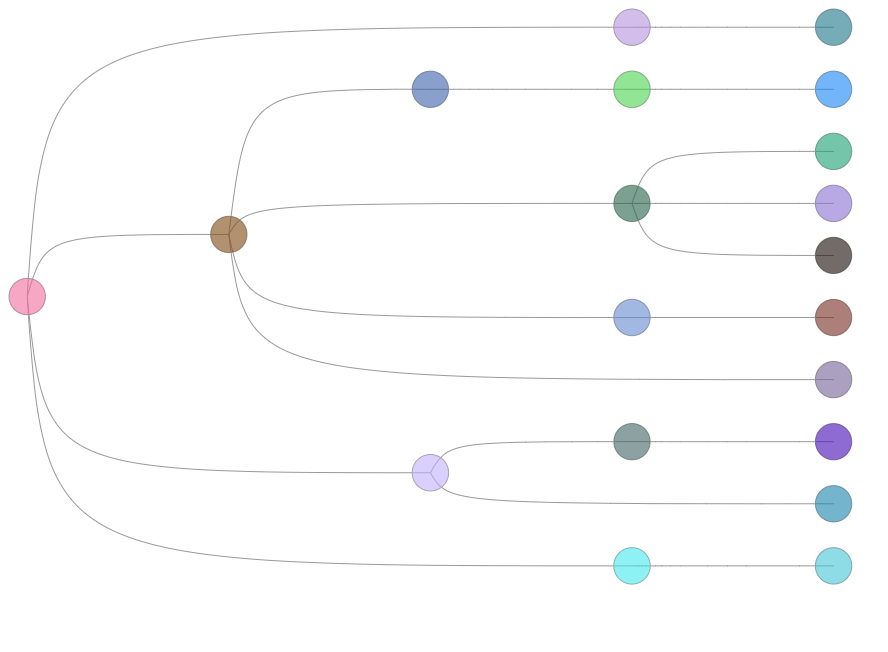
Dendrogram Balanced Tree
Regardless of the tree level, the leaf nodes are always aligned, and the non-leaf nodes are evenly distributed according to the level.
Organizational chart, family tree
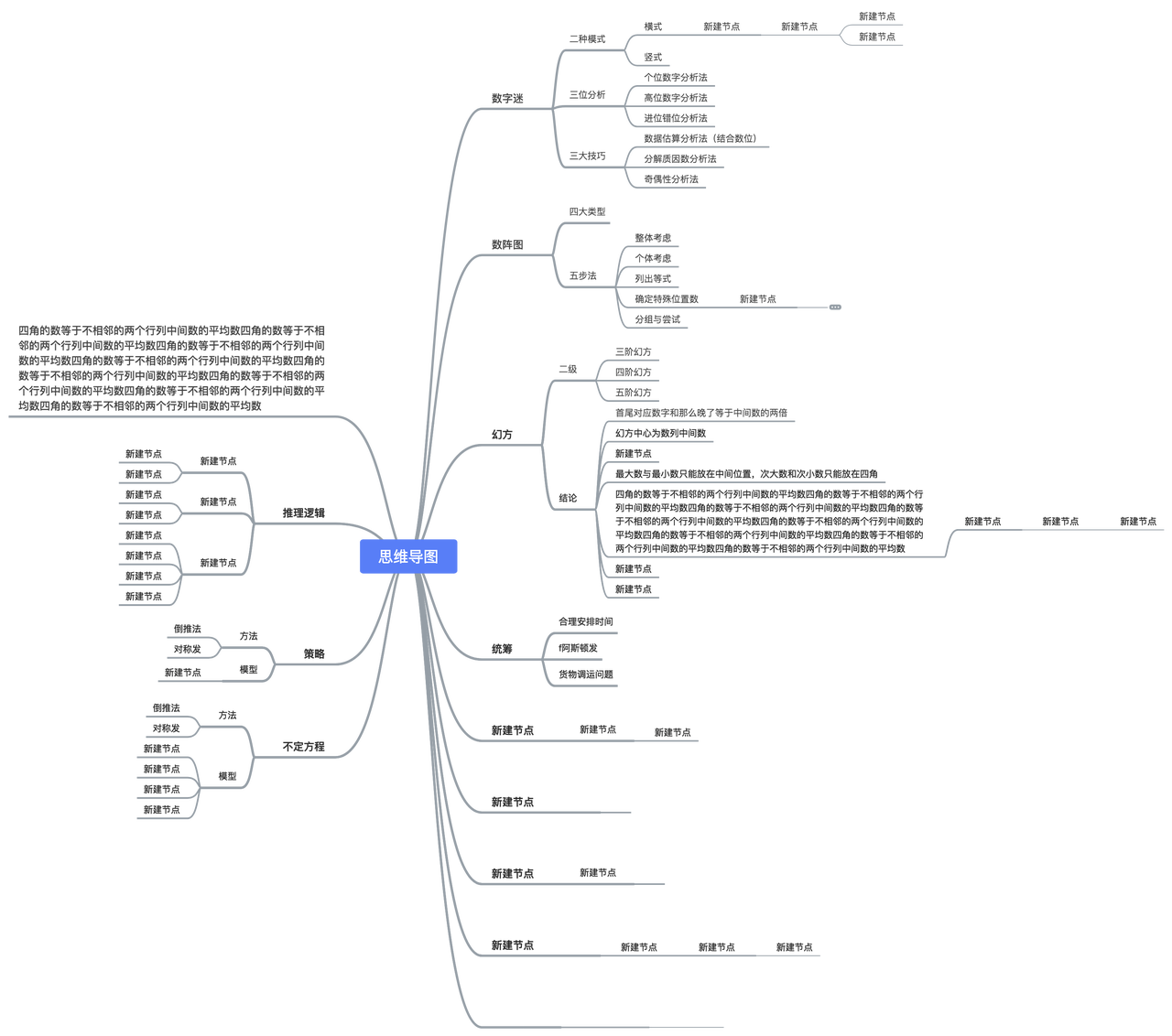
MindMap
Nodes of the same depth will be placed on the same level, and the space occupied by each subtree will not overlap.
Data summarization, brainstorming
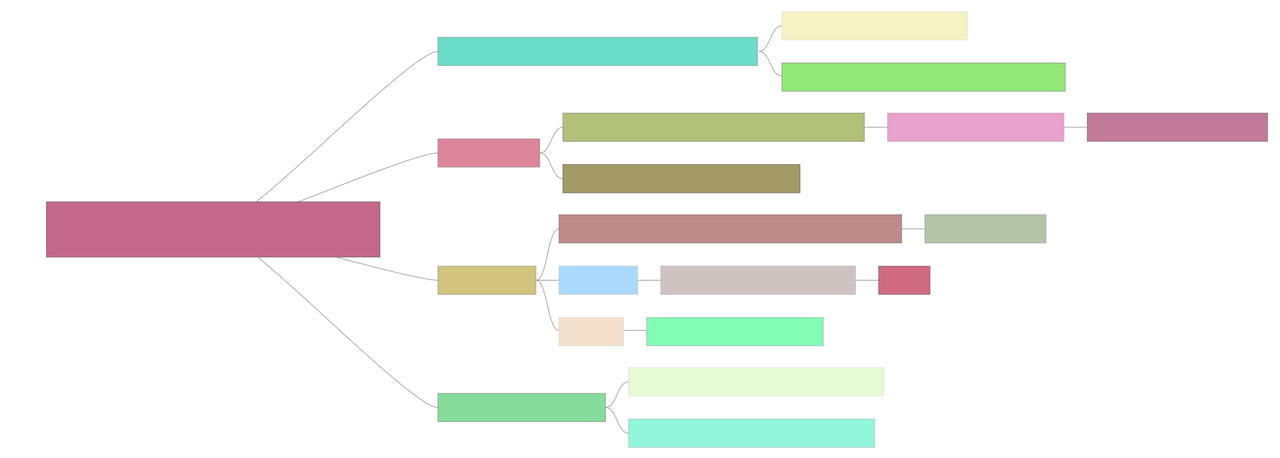
CompactBox
Starting from the root node, nodes of the same depth are on the same level, and the layout will take the node size into account to save space as much as possible.
Tree graphs with a large amount of data or insufficient display space
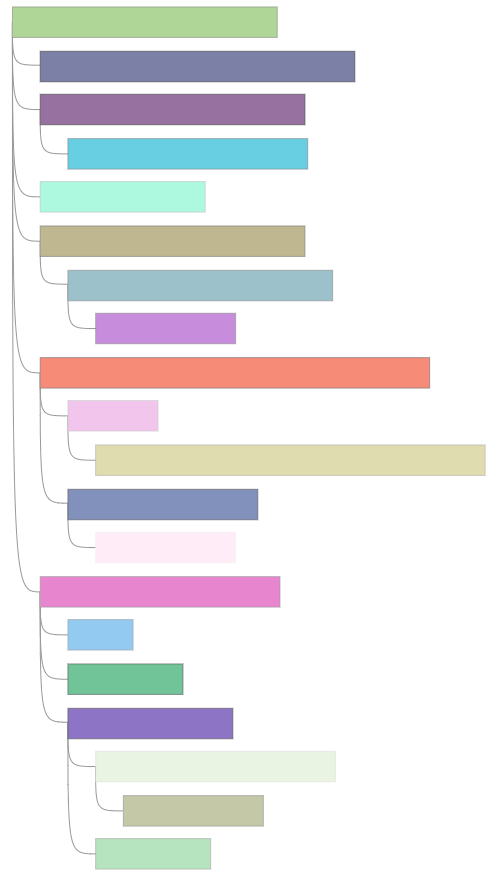
Indented Tree
Starting from the root node, nodes of the same depth are on the same level, and the arrangement between parent and child is more compact.
Information-dense scenarios such as folders
In addition to the node configuration items (width: node width, height: node height, collapsed: whether to collapse), the following parameters are also supported for custom layout.
Field
Type
Description
direction
LR | RL | TB | BT
Layout direction; LR for left-to-right layout, RL for right-to-left layout, TB for top-to-bottom layout, BT for bottom-to-top layout. The default is TB layout.
nodeSep
(nodeData: any) => number
Specifies the spacing between nodes at the same level.
rankSep
(nodeData: any) => number
Specifies the spacing between nodes at different levels.
nodeSize
(nodeData: any) => number
Specifies the node size. It is recommended to directly configure width and height on the node.
radial
boolean
Whether to use a radial tree distribution. The default is false. It is recommended to enable this when there are a particularly large number of nodes on a single level to obtain a better viewing experience. When using a radial tree distribution, radial will be written on the node to assist in defining the rotation of the node's text label. For details, see Radial Tree Layout Example.
Animation
vGraph provides fine-grained animations. The default configuration is true, which provides default animation effects when the graph is initialized, nodes are collapsed, and nodes are expanded. You can also customize it through the following configuration items.
Field
Type
Description
duration
number
The duration of the animation (in ms). The default is 500.
delay
number
The delay (in ms) before the animation starts.
easing
string
Specifies the animation effect. The default is a linear animation easelinear. It also supports multiple effects such as easeCubic, easePoly, easeQuad,easeSin, easeExp, easeBounce to meet the data presentation needs of special scenarios.
repeat
boolean
Whether to repeat the animation. The default is false.