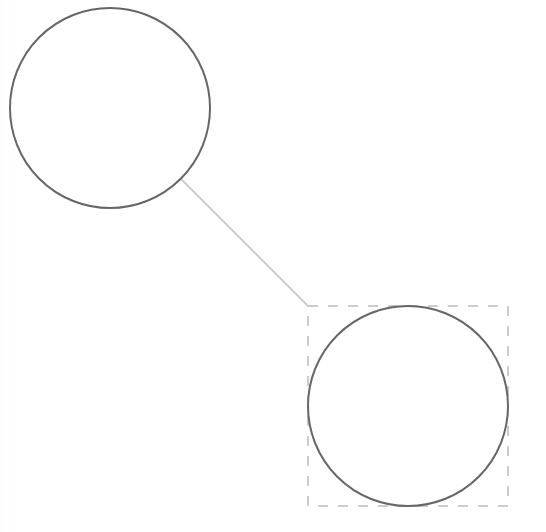
The keyShape is used to calculate how nodes and edges connect, and how to respond to changes in node state.
For example, for a node that appears to be a circle, specifying different keyShapes will result in inconsistent connection effects for the edges. Since the keyShape returned for the node on the top-left is a circle, the connection point can be calculated to adhere closely to the outer edge of the circle. However, if the node on the bottom-right returns a rectangle, the edge will adhere to the rectangle, and visually it will not appear to be connected to the circle.
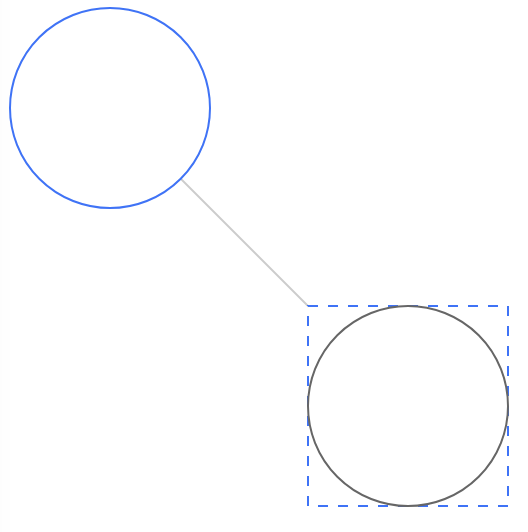
When setting the state of a node, the style of the keyShape is modified by default. Executing the same for the example above:
// Update the graph's configuration for node states. When a node has the 'highlight' state, change the border color of the keyShape.
graph.set('setStateStyles', (state: string) => {
if (state === 'highlight') {
return { strokeStyle: '#3370FF' } }
});
// Set the node statenode.setState('highlight');
The result is shown in the figure below. If responding to state changes using only the keyShape does not meet your needs, you can refer to State Management.