It is not only a fully functional graph visualization library, but also an explorer of data relationships.
!!!###!!!title=Animation Concepts and Types——VisActor/VChart Contributing Documents!!!###!!!!!!###!!!description=---title: 10.1 Concepts and Types of Animationkey words: VisActor,VChart,VTable,VStrory,VMind,VGrammar,VRender,Visualization,Chart,Data,Table,Graph,Gis,LLM---> 10.1 Concepts and Types of Animation> Score: 4>> 1. Concepts and Types of Animation:> 1. Other Reference Documents:> https://www.visactor.io/vchart/guide/tutorial_docs/Animation/Animation_Types>> [Magic Frame (Part 2): VChart Animation Programming Practice In this article, we will start with some common chart animations and introduce in detail the compilation in VChart - Juejin](https://juejin.cn/post/7314829865633595443)1. Code Entry: `packages/vchart/src/animation/``packages/vchart/src/series/line/animation``packages/vchart/src/core/vchart``packages/vchart/src/core/interface``packages/vchart/src/complie/mark`1. Key Points Interpretation:1. Animation Classification (by execution timing, by effect)1. Overall Design of the Animation System!!!###!!!
Animation Classification (by execution timing, by effect)
Overall Design of the Animation System
Concept of Animation
In VChart, animation refers to enhancing the dynamism and interactivity of data presentation through visual effects during the chart rendering process. The animation system allows developers to configure and control the transition effects of chart elements (such as bar charts, pie charts, line charts, etc.) in different states.
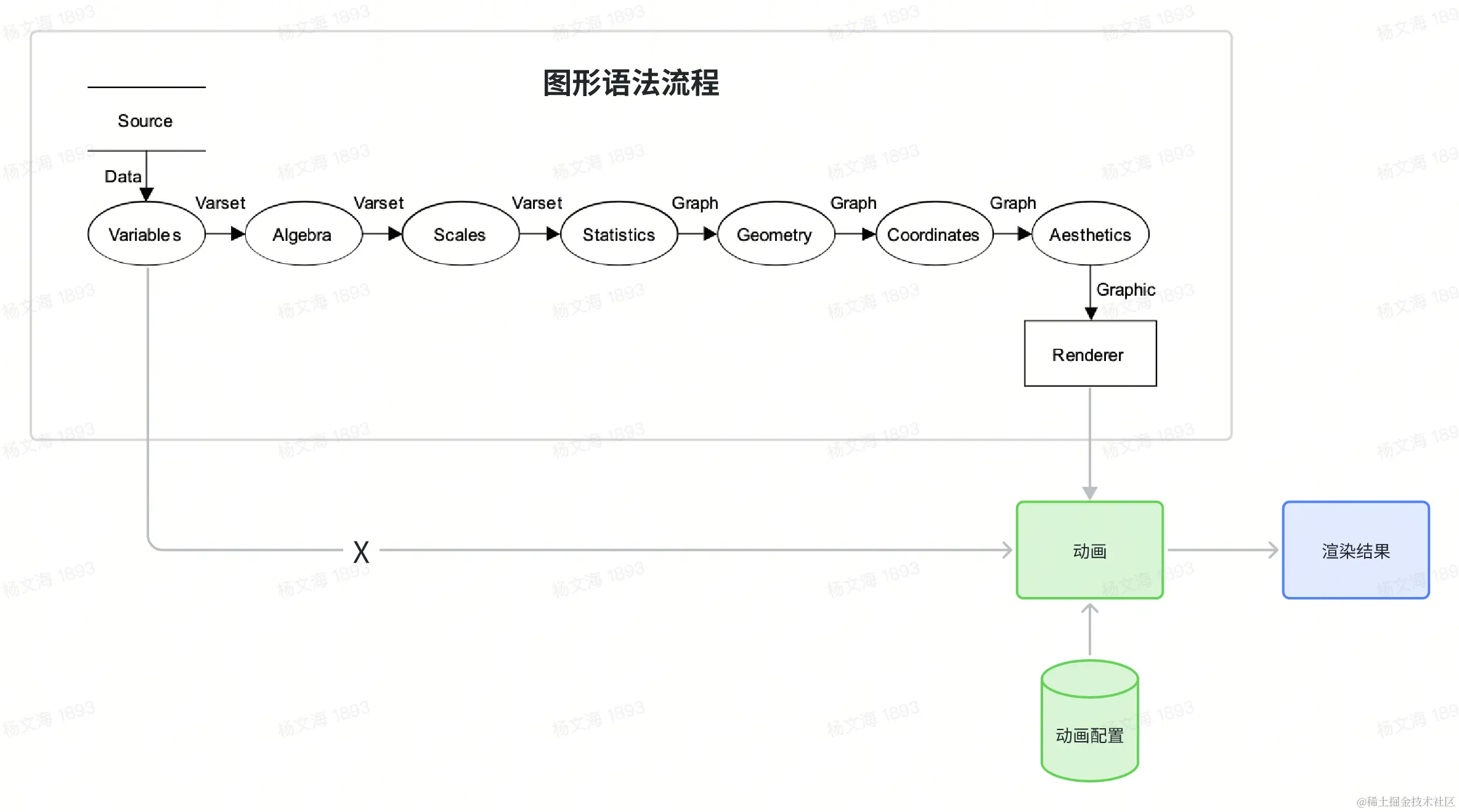
In VisActor, animation is regarded as an embellishment of the rendering stage: animation configuration, together with the visual channels of the graphic elements obtained from the execution of the graphic grammar process, determines the result of the rendering stage. The performance of animation is the interpolation calculation or special calculation logic of the visual channel attributes of specific graphic elements within a certain time period, and the animation configuration describes the trigger timing and execution duration of this calculation.
Types of Animation
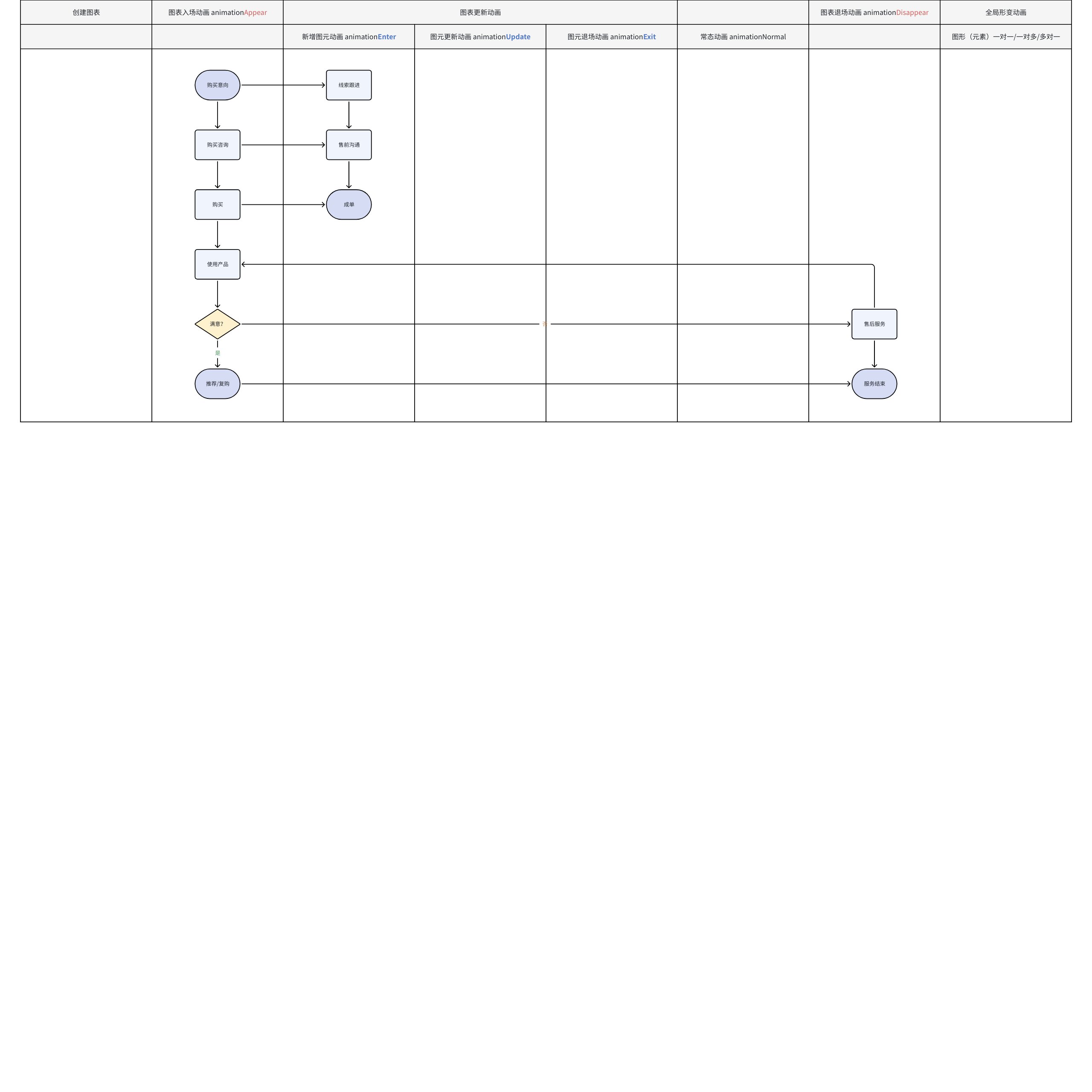
Lifecycle Demonstration
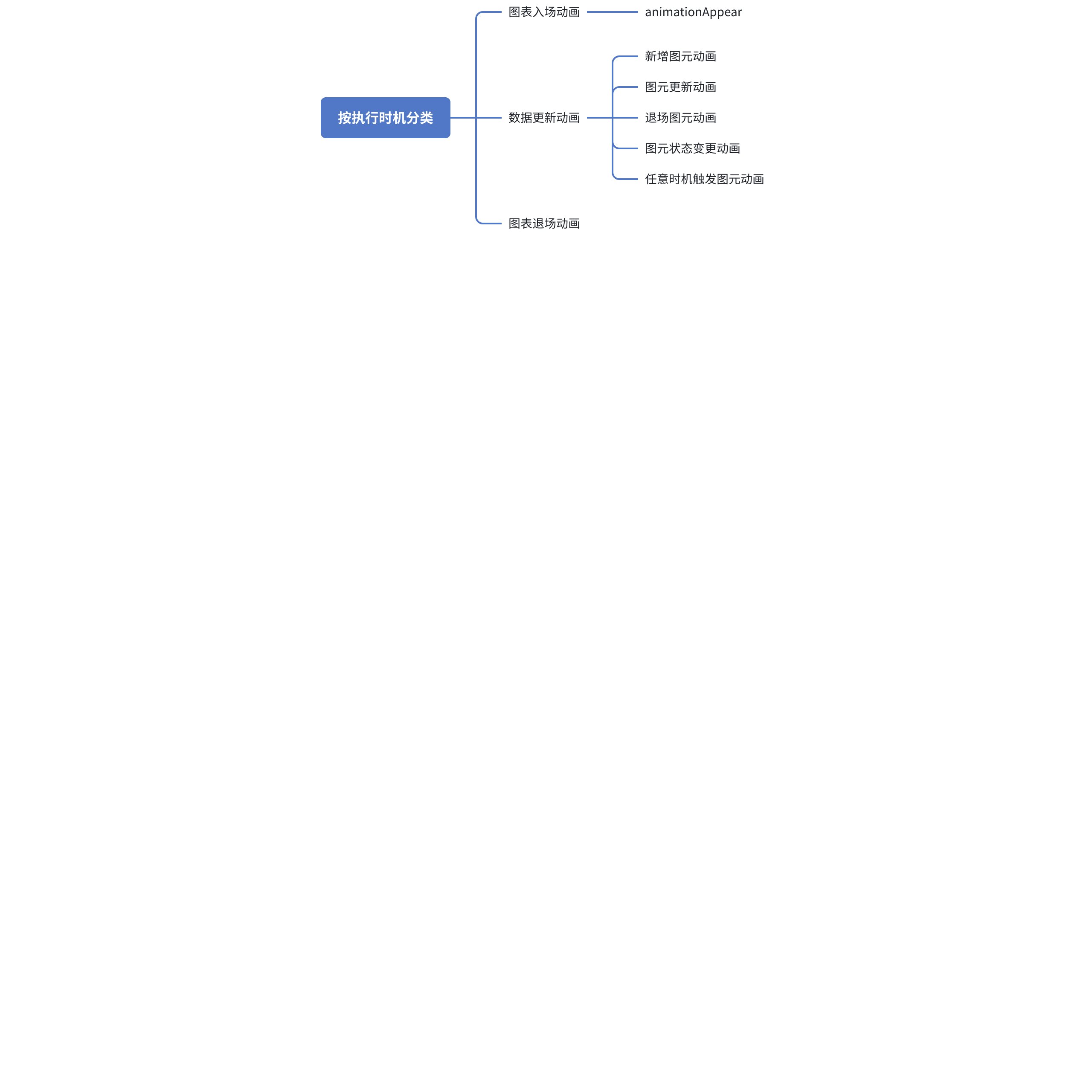
Classified by Execution Timing
Chart animations in VChart are categorized based on state scenarios (execution timing) into: Chart Entrance Animation, Data Update Animation, and Chart Exit Animation.
Chart Entrance Animation: Refers to the animation effect when the chart is created.
Data Update Animation: When we update the chart data, the attribute animation of the graphic elements is called data update animation. It is divided into: New Element Animation, Element Update Animation, and Exit Element Animation, State Change Animation, Animation Triggered at Any Time. Usually, you don't need to worry about how to control these three update animations, as VChart will identify the association between the new data and the previous data during data updates, thus correctly executing the update animation.
Chart Exit Animation: In some scenarios, we may need to remove the chart. At this time, we can set an exit animation for the chart to provide a smooth transition animation effect before removal.
When we update chart data, the attribute animation of the graphic elements is called update animation. In VChart, manually calling the updateData interface will trigger a chart data update. Additionally, clicking the legend also updates the chart data. Update animations are divided into three categories: new graphic element animation, graphic element update animation, and exit graphic element animation.
New Graphic Element Animation (**animationEnter****):
New graphic element animation refers to the animation effect of newly added data's graphic elements when the chart data is updated.
We can use the animationEnter configuration to set the new graphic element animation.
Exit element animation refers to the animation effect of elements corresponding to deleted data when the chart data is updated. We can use the animationExit configuration to set the exit element animation.
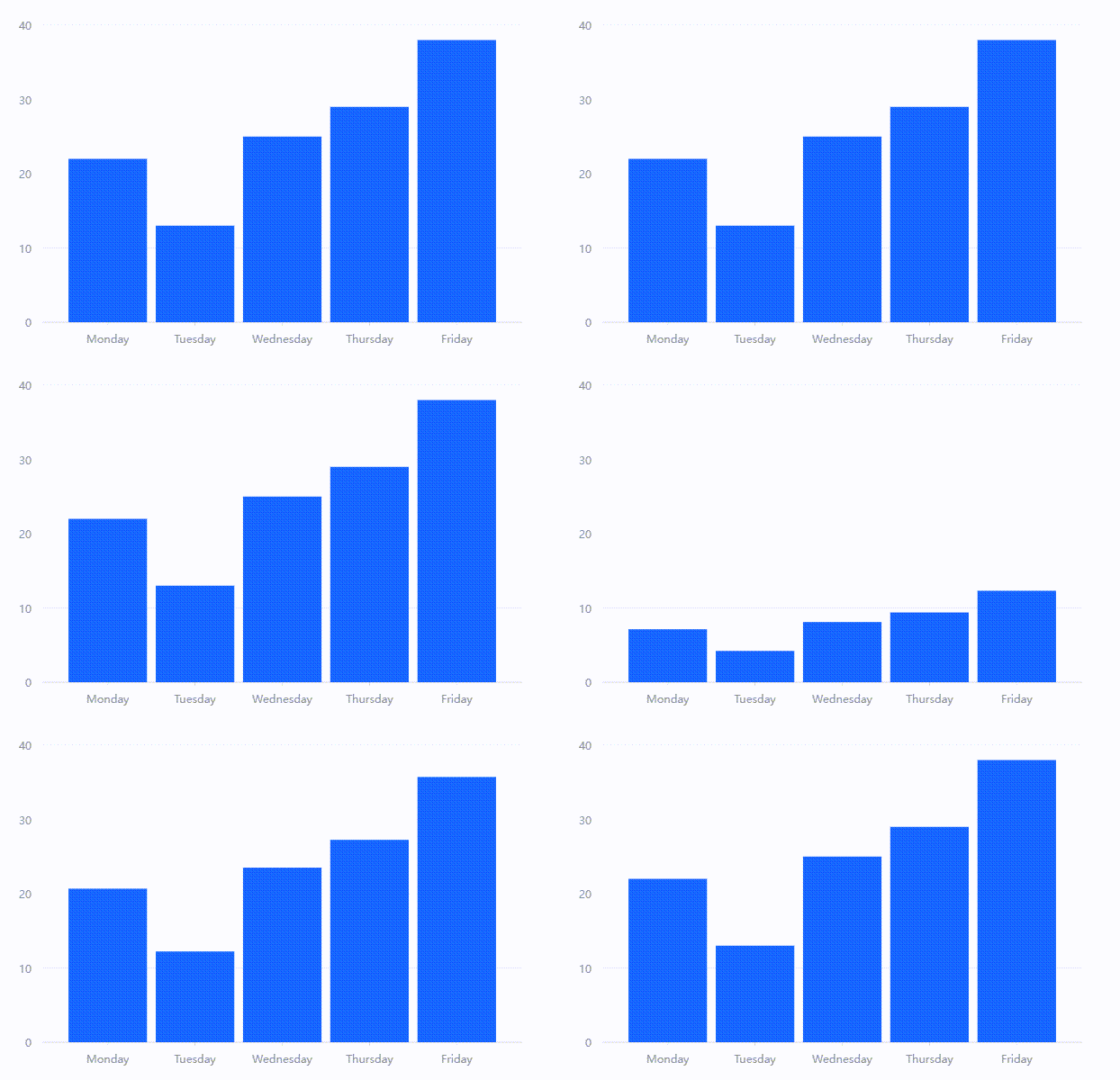
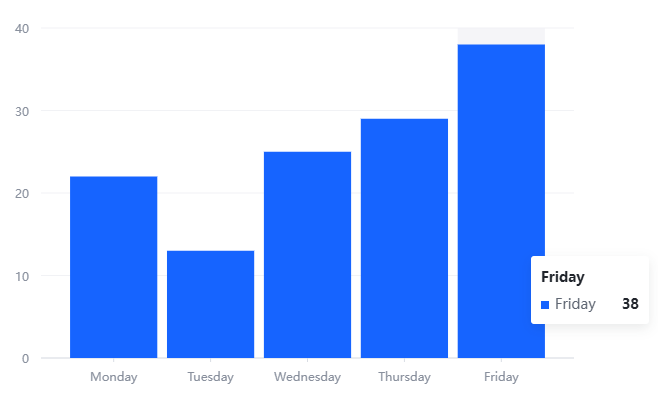
Animation Effects: Animation effects describe how primitives execute rendering changes at a specific stage of animation. Animation effects include ordinary visual channel interpolation, such as changes in the color, width, and position of bars in a racing bar chart; animation effects also include some special changes, such as the deformation of primitives in the figure below.
FadeIn/FadeOut:
The change in element opacity from 0 to 1 or from 1 to 0.
Example code: Appear_FadeIn and Disappear_FadeOut.
In the VChart class, the animation configuration item in spec (chart configuration) is used to control the animation behavior of the chart. Specifically, the animation configuration item can define the animation effects of the chart in different states, such as entrance animation, update animation, exit animation, etc.
The role of
Define animation behavior:
The animation configuration item can contain multiple sub-properties, such as appear, enter, update, exit, and disappear, corresponding to different animation scenarios.
Each sub-property can further configure parameters such as animation duration (duration), easing function (easing), whether to execute one by one (oneByOne), etc.
Control animation switch:
If animation is set to false, all animation effects are disabled.
If set to true or a specific configuration object is provided, the corresponding animation effects are enabled.
Pass to underlying components:
The VChart class will pass the animation configuration to the internal Compiler and Chart instances, which will decide whether and how to apply animations based on the configuration.
Example explanation of bar chart animation execution
#### Example Code
```xml
import { isMobile } from 'react-device-detect';
import { default as VChart } from '../../../../src/index';
1. **Create Chart Configuration and Data**:
1. **Create VChart Instance**:
1. **Render Chart**:
1. **Animation Entrance**:
1. **Data Update (Add Elements)**:
1. **Data Update (Update Elements)**:
1. **Data Update (Remove Elements)**:
1. **Use of Element State**:
1. **Chart Exit**:

<div></div>
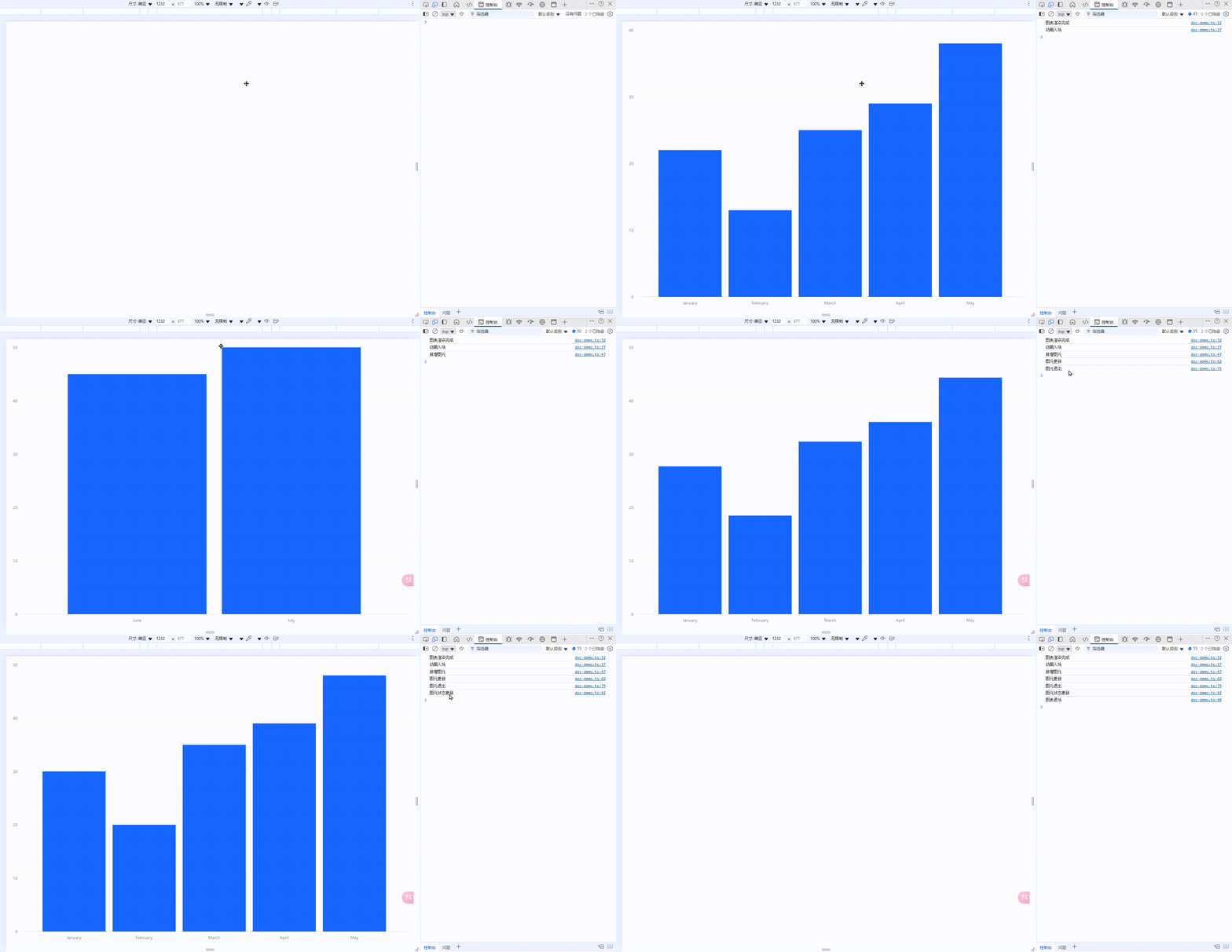
*  Defined an initial chart configuration `initialSpec`, which includes chart type, data, axis fields, and animation configuration.

*  The data section includes a dataset `barData`, initially containing sales data for 5 months.

*  Create a VChart instance using `initialSpec` and the DOM container `chart`.

*  Call the `renderAsync` method to asynchronously render the chart. Once the chart is rendered, the animation entrance effect is triggered.

*  After rendering, simulate the animation entrance using `setTimeout`. The actual animation effect is handled internally by VChart.

*  After 3 seconds, add two months of sales data using the `updateDataSync` method. The `reAnimate: true` parameter ensures an animation effect when adding data.

*  After 6 seconds, update all elements' data using the `updateDataSync` method. The `reAnimate: true` parameter ensures an animation effect when updating data.

*  After 9 seconds, remove two months of sales data using the `updateDataSync` method. The `reAnimate: true` parameter ensures an animation effect when removing data.

*  After 12 seconds, update the state of elements using the `updateState` method. Here, a `selected` state is set, changing the fill color of elements to red when their `sales` value is greater than 40.

*  After 15 seconds, destroy the chart instance using the `release` method, exiting the chart.

---


<div style="display: flex;"><div style="flex: 40; margin:5px;">#### Animation Flowchart
</div><div style="flex: 60; margin:5px;">#### Process Description
1. **Create Chart Configuration and Data**: Define initial chart configuration and data.
1. **Create VChart Instance**: Create a VChart instance using the configuration and DOM container.
1. **Render Chart**: Call the `renderAsync` method to render the chart, triggering the animation entrance effect.
1. **Animation Entrance**: Automatically trigger entrance animation after the chart is rendered.
1. **Data Update (Add Elements)**: Add data using the `updateDataSync` method, triggering add animation.
1. **Data Update (Update Elements)**: Update data using the `updateDataSync` method, triggering update animation.
1. **Data Update (Remove Elements)**: Remove data using the `updateDataSync` method, triggering exit animation.
1. **Use of Element State**: Update element state using the `updateState` method, setting styles under specific conditions.
1. **Chart Exit**: Destroy the chart instance using the `release` method, exiting the chart.

</div></div>
### Source Code Implementation Process

1. **Initialize VChart Instance**

When you create a `VChart` instance and pass in `spec`, the constructor handles the `animation` configuration:

File: `vchart.ts` Method: `constructor`

```xml
constructor(spec: ISpec, options: IInitOption) {
  this._option = mergeOrigin(this._option, { animation: (spec as any).animation !== false }, options);
  *// ...*
}
This code ensures that if animation is not explicitly disabled in spec (i.e., animation !== false), then animation is enabled.
Set a new spec and initialize the chart
In the VChart class, the _setNewSpec method is used to set a new spec and convert it to a format used internally:
Initial State: If initial is true, set the animation state to AnimationStateEnum.appear (entrance animation).
Update State: Otherwise, set it to AnimationStateEnum.update (update animation).
Render the chart
In the renderSync and renderAsync methods, the animation configuration is passed to the compiler for rendering:
File: vchart.ts Method: _renderSync
protected _renderSync = (option: IVChartRenderOption = {}) => {
  const self = this as unknown as IVChart;
  if (!this._beforeRender(option)) {
    return self;
  }
  *// 填充数据绘图*
  this._compiler?.render(option.morphConfig);
  this._afterRender();
  return self;
};
Update of Animation State
In the updateSpec and updateCustomConfigAndRerender methods, the reAnimate flag is used to decide whether to re-trigger the animation:
File: vchart.ts Methods: updateSpec and updateCustomConfigAndRerender
if (userUpdateOptions?.reAnimate) {
  this.stopAnimation();
  this._updateAnimateState(true);
}
Overview of Animation System Design
The animation system design of VChart follows the principles of modularity, extensibility, and easy configuration, aiming to provide developers with a flexible and powerful tool to create rich animation effects. Below are the key components of the system and their working principles:
Principles
1. Animation Interface and Abstraction
IAnimate Interface: Defines the methods and properties that all animations must implement, including obtaining a unique ID, updating animation state, and getting the state signal name.
IAnimationSpec Interface: Specifies the structure of animation configuration, covering various animation settings from entrance to exit.
classDiagram
class AnimationStateEnum {

    --Enum--

    appear: AnimationStateEnum

    disappear: AnimationStateEnum

    enter: AnimationStateEnum

    update: AnimationStateEnum

    exit: AnimationStateEnum

    state: AnimationStateEnum

    normal: AnimationStateEnum

    none: AnimationStateEnum

}


class IAnimate {

    <<interface>>

    +updateAnimateState(state: AnimationStateEnum, noRender?: boolean): void

    +getAnimationStateSignalName(): string

    +id: number

}


class ICartesianGroupAnimationParams {

    <<interface>>

    +direction(): "x" | "y"

    +orient(): "positive" | "negative"

    +width(): number

    +height(): number

}


class AnimateManager {

    --Attributes--

    -_stateMap: IAnimateState & StateMap

    +id: number

    --Methods--

    +updateAnimateState(state: AnimationStateEnum, noRender?: boolean): void

    +getAnimationStateSignalName(): string

    +constructor()

}


class MarkAnimationSpec {

    --Attributes--

    appear: IAnimationConfig

    enter: IAnimationConfig

    update: IAnimationConfig[]

    exit: IAnimationConfig

    disappear: IAnimationConfig

}


class IAnimationSpec {

    --Attributes--

    animationAppear: boolean | IStateAnimateSpec<Preset> | IMarkAnimateSpec<MarkName>

    animationEnter: boolean | ICommonStateAnimateSpec | IMarkAnimateSpec<MarkName>

    animationUpdate: boolean | ICommonStateAnimateSpec | IMarkAnimateSpec<MarkName>

    animationExit: boolean | ICommonStateAnimateSpec | IMarkAnimateSpec<MarkName>

    animationDisappear: boolean | ICommonStateAnimateSpec | IMarkAnimateSpec<MarkName>

    animationState: boolean | IStateAnimationConfig

    animationNormal: IMarkAnimateSpec<MarkName>

}


class IStateAnimateSpec {

    --Attributes--

    duration?: number

    delay?: number

    easing?: EasingType

    oneByOne?: boolean

    preset?: Preset | false

}


class ICommonStateAnimateSpec {

    --Attributes--

    duration?: number

    delay?: number

    easing?: EasingType

    oneByOne?: boolean

}


class IMorphSeriesSpec {

    --Attributes--

    enable?: boolean

    morphKey?: string

    morphElementKey?: string

}


class IAnimateState {

    --Attributes--

    animationState: { callback: (datum: any, element: IElement) => AnimationStateEnum }

}


class IAnimationConfig {

    --Attributes--

    type?: string

    channel?: string

    custom?: Function

    customParameters?: Function

    oneByOne?: boolean | number

    duration?: number

    easing?: EasingType

    delay?: number

    delayAfter?: number

}


% Relationships

AnimationStateEnum "1" --|> "many" AnimateManager: Uses

AnimateManager "1" --|> "1" IAnimate: Implements

AnimateManager "1" -- "1" ICartesianGroupAnimationParams: Depends

IAnimationSpec "1" -- "many" spec.ts: Defined in

MarkAnimationSpec "1" -- "1" config.ts: Used by config.ts

IAnimationConfig "1" -- "many" utils.ts: Processed by utils.ts

IStateAnimateSpec "1" -- "1" ICommonStateAnimateSpec: Inherits

IAnimationSpec "1" -- "1" IStateAnimateSpec: Associates

IAnimationSpec "1" -- "1" IMorphSeriesSpec: Associates

IAnimateState "1" -- "1" AnimateManager: Internally used

IAnimationConfig "1" -- "1" ICommonStateAnimateSpec: Inherits
2. Animation Manager
AnimateManager Class: Inherits from StateManager and implements the IAnimate interface, responsible for managing the state of animations and providing methods to update animations based on the incoming state. It handles the update and retrieval of animation states and updates animation states based on different states.
3. Factory Pattern
Factory Class: Used to register new animation types, allowing custom animation logic to be added to chart components. Through the static method registerAnimation, specific types of animations can be associated with their configurations for easy subsequent calls.
4. Animation Configuration Generation
animationConfig Function: Generates the final animation configuration based on default and user-provided configurations. This function traverses all animation states (such as appear, enter, update, etc.) and constructs a complete animation configuration object based on user or default configurations.
5. Animation Task Interface
IAnimationTask Interface: Defines the data structure of an animation task, which is crucial for understanding complex animation sequences. Each task contains time offsets, action queues, and successor task lists, forming a chain-like animation execution mechanism.
6. Specific Implementation of Animation
Each specific chart series (such as bar chart, pie chart, scatter plot, etc.) has its own animation implementation files, which contain preset animation functions for that series. For example, a bar chart may have growth animations, fade-in animations, etc.; a pie chart may have sector expansion animations, etc.
Through the above steps, we have completed a simple yet complete animation process creation. In this process, we utilized the modular design of the VChart animation system to handle chart configuration, animation registration, chart instantiation, data updates, and animation state management separately. This design not only makes the code clearer and more readable but also enhances the system's flexibility and maintainability. Developers can easily customize different types of animation effects according to actual needs, thereby enhancing user experience.
To better understand and interpret these source files, it is recommended to read them in the following order:
**interface.ts**
Reason: This file defines the core types and interfaces in the animation module, such as AnimationStateEnum, IAnimateState, and IAnimate. Understanding these types and interfaces is the foundation for subsequent code.
Key Content:
Animation state enumeration AnimationStateEnum
Animation state interface IAnimateState
Animation interface IAnimate
**spec.ts**
Reason: This file defines the specifications for animation configuration, including ICommonStateAnimateSpec, IStateAnimateSpec, and IAnimationSpec. These specifications are used in actual animation configurations, so it is necessary to understand their structure first.
Key Content:
Common properties of animation configuration ICommonStateAnimateSpec
Animation state configuration IStateAnimateSpec
Animation specification IAnimationSpec
**config.ts**
Reason: This file provides default animation configurations and some preset animation registration functions. Understanding these default configurations helps in understanding how to customize animation configurations.
Preset animation registration functions (such as registerScaleInOutAnimation, registerFadeInOutAnimation, etc.)
**utils.ts**
Reason: This file contains many utility functions for generating and processing animation configurations. Understanding how these functions work can help you better understand how animation configurations are applied.
Key Content:
Function to generate animation configuration animationConfig
Function to process user animation configuration userAnimationConfig
Utility functions (such as produceOneByOne, shouldMarkDoMorph, etc.)
**animate-manager.ts**
Reason: This file implements the AnimateManager class, which is the core class for managing animations. Understanding the implementation of this class can let you know how animations are managed and updated.
Key Content:
Implementation of the AnimateManager class
Method to update animation state updateAnimateState
Method to get animation state signal name getAnimationStateSignalName
Summary
Reading these files in the above order can gradually build an understanding of the entire animation module. Start from the basic types and interfaces, gradually delve into specific configurations and implementation details, and finally understand how animations are managed and applied.