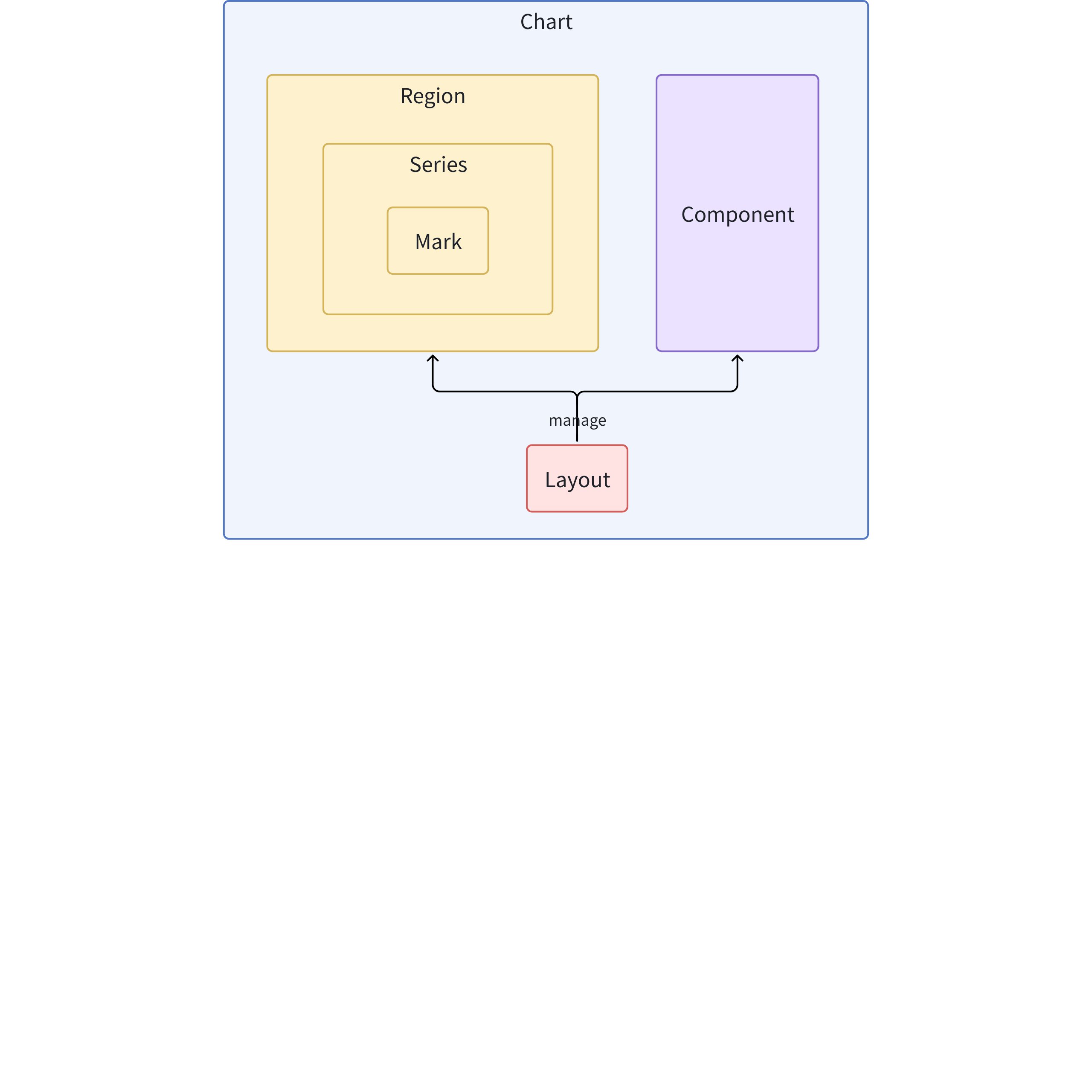
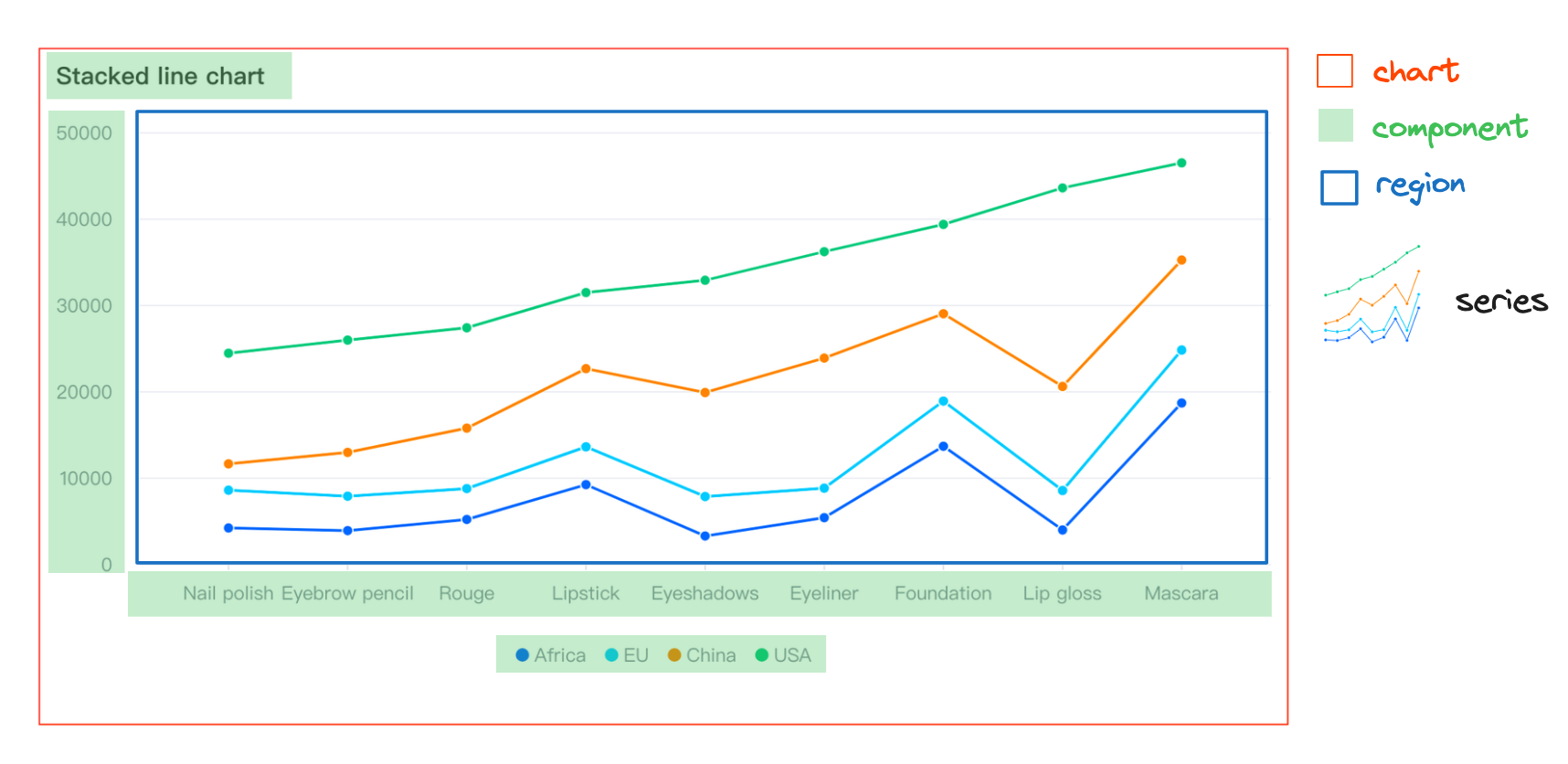
Mark: Basic graphic elements (basic primitives), such as lines, points, rectangles, etc.
Series: Responsible for the visual representation of specific types of data, including a set of primitives and their corresponding chart logic, such as a series of lines in a line chart
Region: Defines the spatial area of the chart, associates one or more series, handles interaction and animation, provides coordinate systems
Component: Elements that assist in reading and interacting with the chart, such as legends, axes, tips, etc.
Layout: Manages the layout of the chart, including the position and size of regions and components
Chart: The abstract concept of the entire chart, including elements on the view such as layout, components, and regions, as well as data and all elements needed to form a table
Structural Relationships
Simple Chart Example
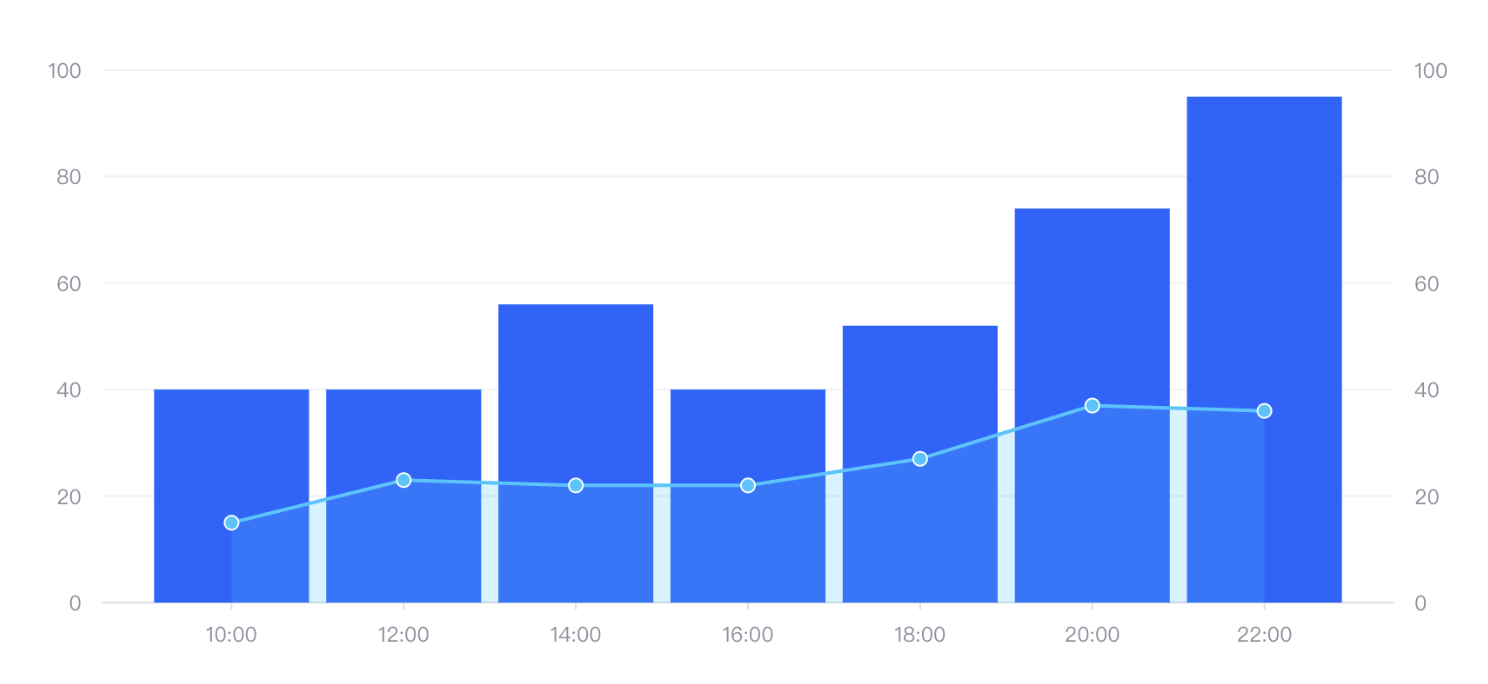
Combination Chart Example
Same Region
The above image is a combination chart, which simply means there are multiple series groups, with bar and line being the two series above.
If we do not configure specifically, all series will be associated with one region, so they will overlap and share certain coordinates.
Each series can have its own data source, or the data source can be configured directly on the chart, with the series associated through fromDataId or fromDataIndex. In the current example, we choose to configure it on the chart.
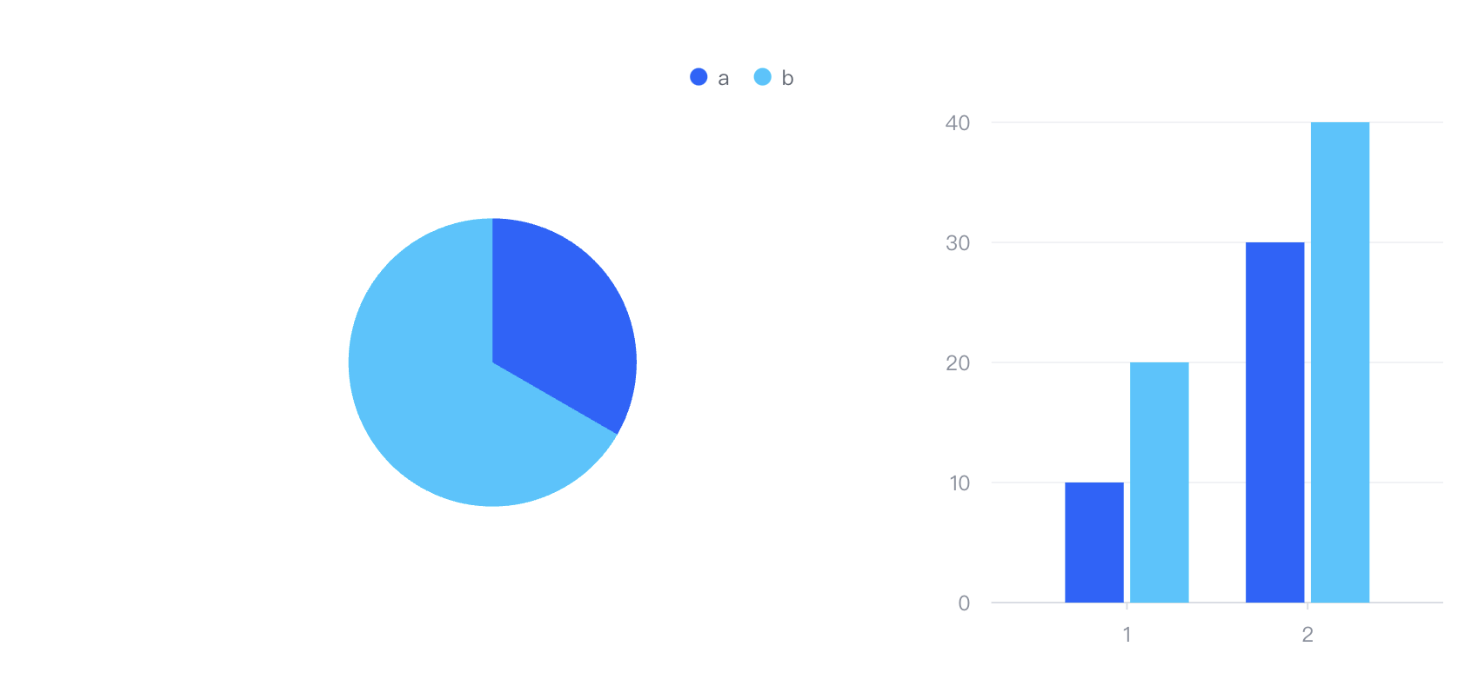
Different Region
In this example, it is also a combination chart, but its two series appear in different regions. As mentioned above, we use layout to manage the layout of regions. In this example, we used the following code:
The above uses a grid-like method to manage the layout of regions and components. We use these modelId to associate the configuration of the corresponding region and component:
VGrammar uses VRender for actual drawing and rendering
Finally, VRender controls the underlying Canvas/WebGL to draw graphics
This layered architecture allows developers to choose different levels of tools as needed: if highly customized visualization is required, VRender or VGrammar can be used directly; if quick creation of standard charts is needed, VChart can be used.
1.2.2 Relationship and Source Code Structure of Internal Components in VChart
The overall architecture adopts a modular design, with the core divided into the following main parts:
Core Engine (Core): The central controller of VChart, responsible for organizing the collaboration of various modules
Chart: Specific implementations of various chart types
Series: Responsible for mapping data to graphics in the chart
Mark: Basic graphic elements
Region: Defines the area for chart rendering
Component: Additional components such as axes, legends, etc.
Layout: Handles the position calculation of various elements in the chart
Event: Handles user interactions
Scale: Related to data mapping and scales
Data Processing (Data): Data transformation and processing
Core Module
VChart Core Class
The VChart class is the entry point of the entire chart library, responsible for instantiating and managing the entire chart lifecycle.
Managing the contained areas, series, and components
Handling the overall mapping from data to visual elements
Series Module (Series)
The series module is the core mapping from data to visual representation, with different series types corresponding to different graphical representations.
Marks are the most basic visual elements, such as lines, rectangles, points, etc., which are the basic units that make up a chart. The corresponding code is implemented in the packages/vchart/src/mark directory.
The mark is responsible for:
Implementing specific graphic rendering
Handling interaction states (such as highlighting, selection)
Binding with data
Region Module
A region defines the rendering position of a chart on the canvas and can contain multiple series. The corresponding code is in the packages/vchart/src/region directory.
The region module is responsible for:
Determining the position and size of each sub-region in the chart
Managing the series contained within
Handling layout relationships between regions
Component Module
Components are auxiliary elements in the chart other than data graphics, such as axes, legends, titles, etc. Various component implementations are in the packages/vchart/src/component directory.
The component module is responsible for:
Rendering various auxiliary elements
Interacting with users (such as legend clicks)
Collaborating with the main chart
Layout Module
The layout module is responsible for calculating the position and size of each element in the chart. The corresponding code is in the packages/vchart/src/layout directory, specifically including:
Calculating element positions
Adjusting to fit container size
Handling hierarchical relationships between elements
Event Module
The event module handles user interactions and internal events, specifically including:
Handling user interaction events (such as clicks, hover)
Distributing internal events
Triggering data updates and rendering updates
Scale Module
The scale module is responsible for mapping conversions from data to visual attributes, specifically including:
Handling the mapping of data to visual space
Managing various scales (linear, discrete, color, etc.)
Calculating the range and ticks of axes
Data Module
The data module handles the conversion and processing of raw data, specifically including:
Parsing and converting data
Statistical calculations
Handling missing and outlier values
Rendering Process
The rendering process of VChart mainly includes the following steps:
Initialization: Create a VChart instance through spec configuration
Compilation: Parse the configuration, create various components and series
Layout: Calculate the position and size of each element
Data Processing: Process and convert data
Rendering Preparation: Bind data to marks
Actual Rendering: Draw marks on the canvas
Interaction Binding: Bind various interaction events