The Taro framework, based on the React technology stack, provides cross-platform component development capabilities (https://taro-docs.jd.com/docs/component). A Taro component consists of the following files:
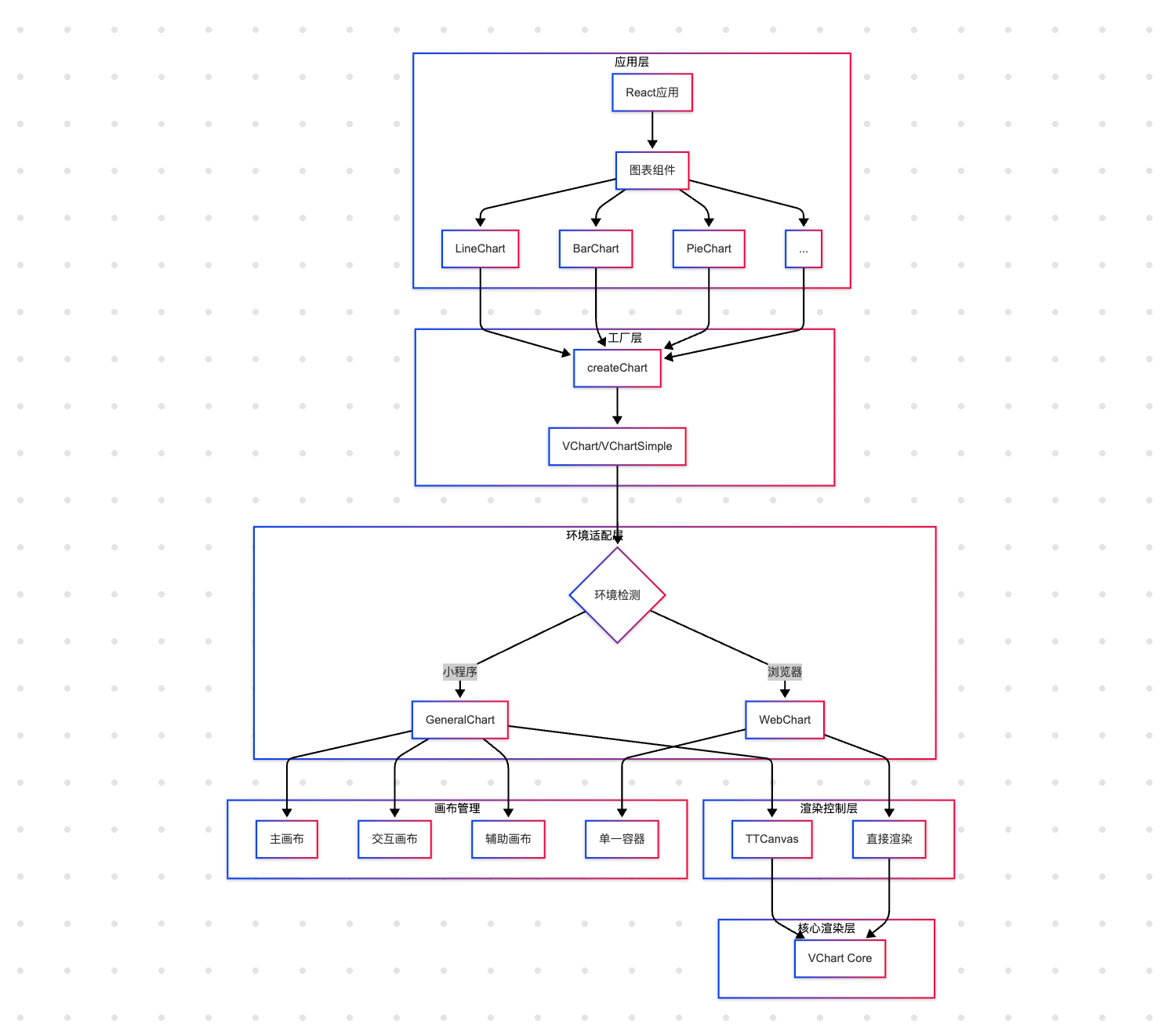
This component is used for on-demand loading scenarios to reduce package size.\r\n\r\n## Chart Factory System\r\n\r\ncharts/generate-charts.tsx implements the factory pattern for chart components, providing:\r\n\r\n* Unified component creation process\r\n\r\n* Automatic registration of chart dependency modules\r\n\r\n* Type safety (through generic constraints)\r\n\r\nUsing the factory pattern to uniformly generate chart components (such as BoxPlotChart), which includes all available chart type components. Each chart is created through the createChart method, standardizing parameters:\r\n\r
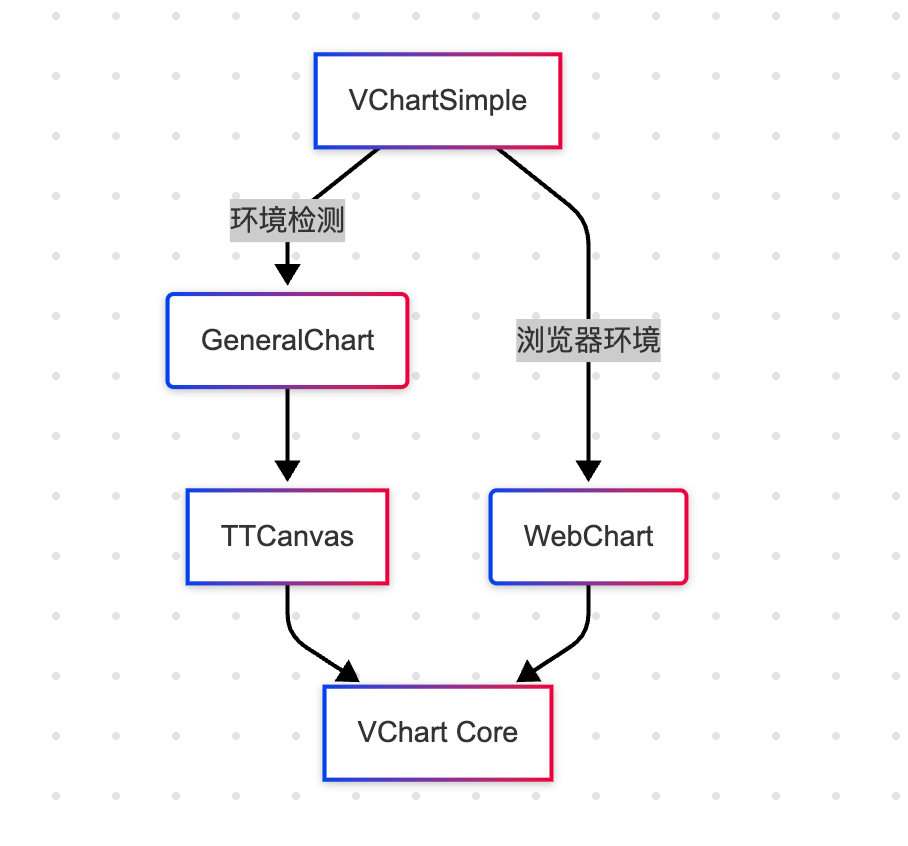
After configuring the corresponding charts, we enter the rendering component layer, which includes a general chart component and a browser chart component. Their functions are the same, mainly to cater to different platforms. A brief flowchart is as follows:
General Chart Component
components/general-chart/index.tsx is the core rendering component in the mini program environment, with the following key technical points:
Asynchronous DOM acquisition mechanism (solving Feishu mini program issues)
components/web-chart/index.tsx is the rendering component for the browser environment, with the main differences from the mini program component:
Single container rendering (vs. three-canvas structure)
Synchronous DOM acquisition (vs. asynchronous loop attempts)
Direct event binding (vs. event delegation)
Chart Control Layer
utils/tt-canvas/index.ts is the controller for chart instances, TTCanvas is responsible for managing VChart instances, receiving props passed by GeneralChart, and achieving seamless integration of chart capabilities in the mini program ecosystem through abstract general interfaces.