In 10.1, we initially learned about the design of the animation system in VChart and the creation examples of charts. This section continues to introduce the transition design when switching between different chart configurations in VChart.
Definition
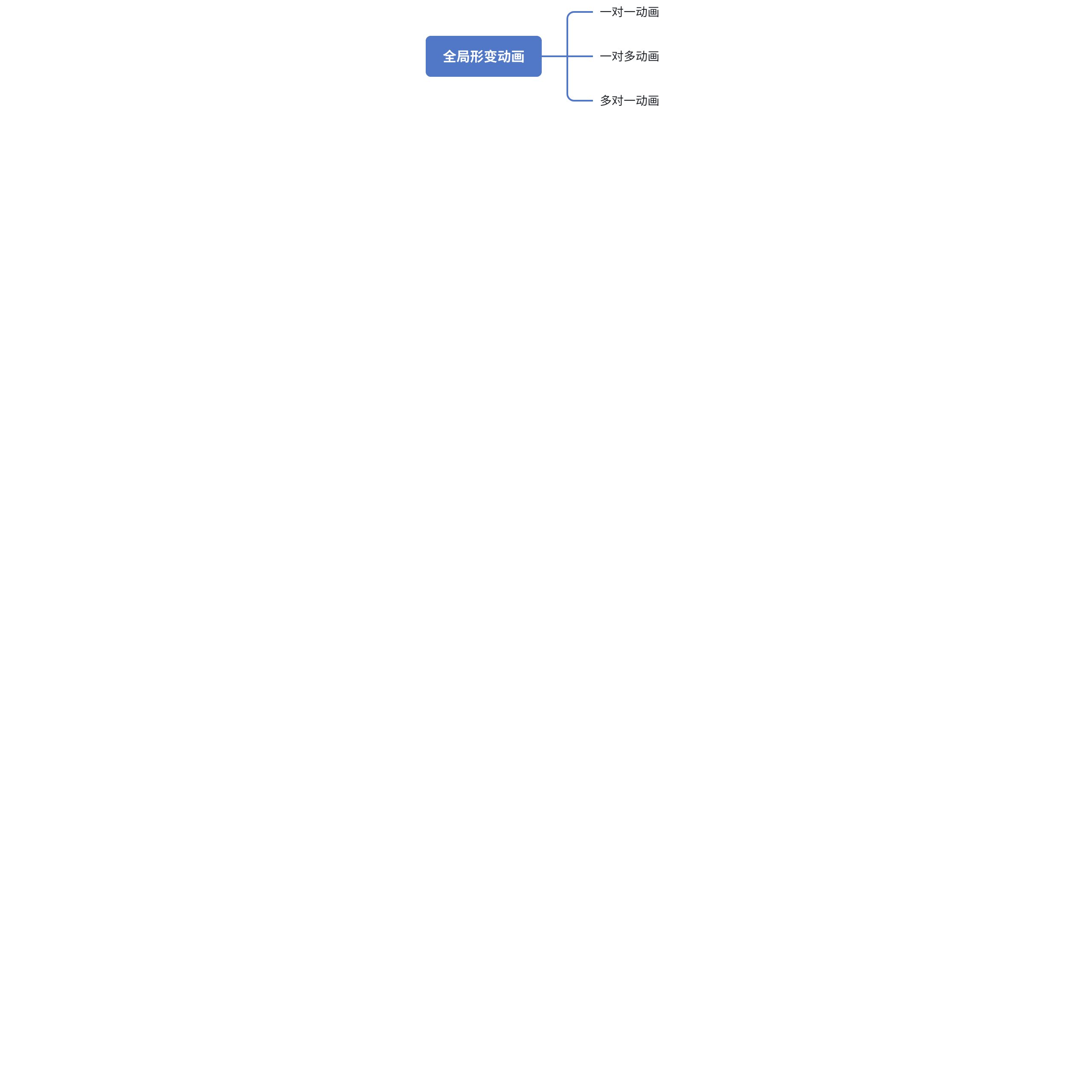
VChart provides morphing animations for switching between related series, which we call global morphing animations.
When updating the chart configuration through updateSpec, VChart will detect whether the two related series of the old and new charts meet the conditions for morphing animation, thereby executing dynamic transitions between one-to-one, one-to-many, or many-to-one graphics. Global morphing animations allow users to have a better visual experience when the type of chart being displayed changes, avoiding the feeling of instantaneous change. After all, visual comfort is an important factor we should focus on in the process of displaying and analyzing data.
Below are two example configurations to illustrate the effects of this type of transition animation:
One-to-One Animation
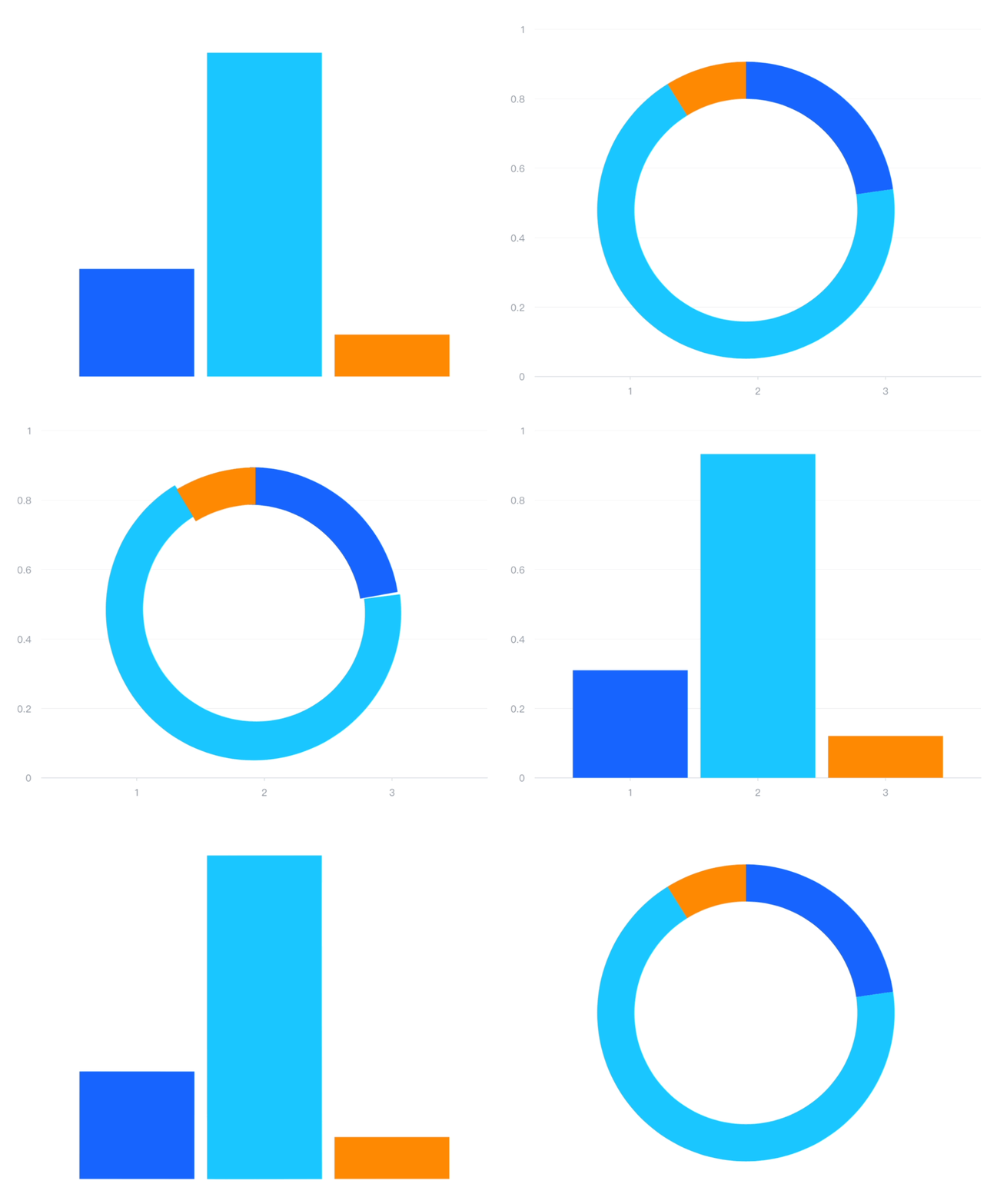
One-to-one animation refers to the transition animation between two different graphics. For example, in the example below, it shows the global animation when switching between a pie chart and a bar chart:
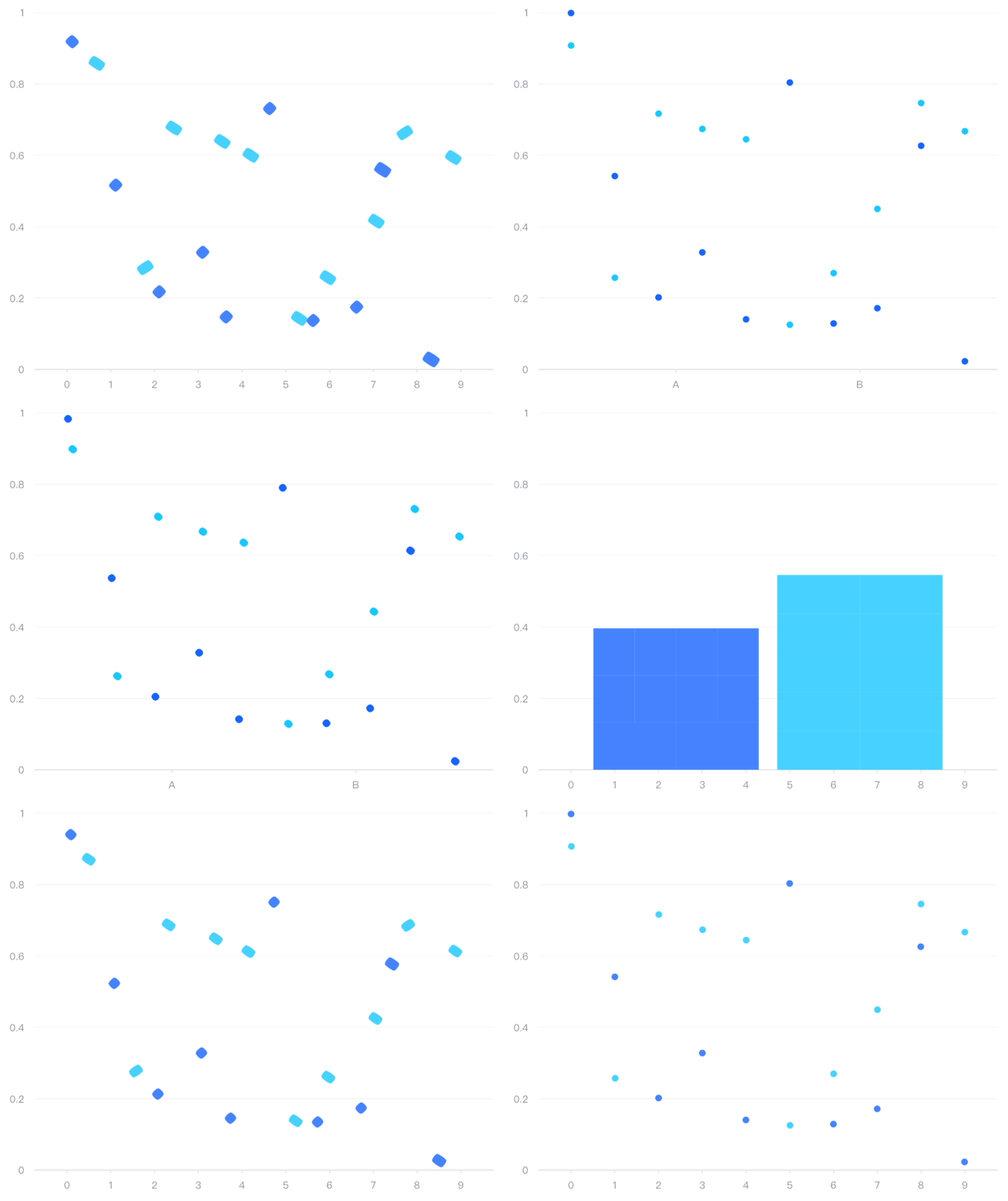
One-to-many animation refers to the transition of a single graphic element into multiple graphic elements. For example, in the example below, a global animation is shown when switching between a bar chart and a scatter plot, where the animation of splitting a large bar into multiple scatter points is a one-to-many animation.
Many-to-one animation refers to multiple graphic elements transitioning into one element. For example, in the example above, we can have multiple points of a scatter series merge into one large column.
Interpretation of the Source Code Execution Process for Effect Implementation
The transition between different charts can be explained by updating the configuration, and with morphing animation enabled, the transition effects of series elements are automatically recognized. Below is an explanation of the default effect settings.
Draft Interpretation of Global Animation Implementation
Global animations refer to those animation effects that apply at the entire chart level. They can be applied to the overall entrance animation when the chart loads, the unified change animation when data updates, and the overall exit animation before the chart is destroyed. In VChart, the design and implementation of global animations rely on several core components and mechanisms, including the Factory class, AnimateManager class, IAnimationSpec interface, etc.
1. Animation Registration and Management
Factory Class
The Factory class is a key player in the animation system, responsible for managing and registering various types of animations. Through the static method registerAnimation, we can associate specific animation logic with a name for subsequent use.
When you need to add animation to a chart element, you can use Factory.getAnimationInKey to obtain a registered animation and apply it to the corresponding graphic or graphical element.
2. Animation Configuration Structure
IAnimationSpec Interface
The IAnimationSpec interface defines the basic structure of animation configuration, covering various states from entry (animationAppear) to exit (animationDisappear). Each state can accept a boolean value (enable/disable), a preset configuration object, or a custom configuration object as a parameter.
These configuration options allow developers to flexibly control the behavior of animations in different states, such as setting duration, easing functions, animation types, etc.
3. Animation State Management
AnimateManager Class
AnimateManager inherits from StateManager and implements the IAnimate interface, used to manage the state of animations. It provides methods to update animation states and trigger corresponding animation logic based on the current state.
In addition, AnimateManager is also responsible for generating unique identifiers (IDs) and signal names to ensure that each animation instance can be correctly identified and managed.
4. Animation Configuration Generation
animationConfig Function
To simplify the merging process between user configurations and default configurations, VChart provides a helper function called animationConfig. This function iterates through all possible animation states and constructs the final animation configuration object based on the user-provided configuration or the default configuration.
function animationConfig<Presetextendsstring>(
defaultConfig: MarkAnimationSpec = {},
userConfig?: Partial<Record<IAnimationState, boolean | IStateAnimateSpec<Preset> | IAnimationConfig | IAnimationConfig[]>>,
params?: { dataIndex: (datum: any, params: any) => number; dataCount: () => number; }
): MarkAnimationSpec {
const config = {} as MarkAnimationSpec;
for (let i = 0; i < AnimationStates.length; i++) {
const state = AnimationStates[i];
const userStateConfig = userConfig ? userConfig[state] : undefined;
if (userStateConfig === false) continue;
if (state === 'normal') {
userStateConfig && (config.normal = userStateConfig as IAnimationTypeConfig);
continue;
}
let defaultStateConfig: IAnimationConfig[];
if (isArray(defaultConfig[state])) {
defaultStateConfig = defaultConfig[state] as IAnimationConfig[];
} else {
defaultStateConfig = [{ ...DEFAULT_ANIMATION_CONFIG[state], ...defaultConfig[state] } as any];
}
config[state] = defaultStateConfig;
}
return config;
}
This function handles the merging of default configurations and user configurations, considering that certain states (such as normal) can directly use the user-provided configuration without additional processing.
5. Specific Implementation of Global Animation
Registration of Global Animation
Taking line charts or area charts as an example, the registerVGrammarLineOrAreaAnimation function demonstrates how to batch register a series of animation methods. These animations cover effects such as point growth, point movement, and clipping, and are applicable to both the X-axis and Y-axis directions.
In the implementation files of specific series (such as bar charts, pie charts, etc.), the initAnimation method is usually called during the initialization phase to set up animation configurations. This method combines user-provided configurations with default configurations to generate the final animation configuration and applies it to the corresponding graphic elements or shapes.
Here, the animationConfig function is used to merge default configurations and user configurations, while userAnimationConfig is responsible for extracting the animation configuration information provided by the user. Finally, the generated configuration is applied to specific graphic elements through the setAnimationConfig method.
6. Execution of Animation Tasks
IAnimationTask Interface
For complex animation sequences, VChart introduces the IAnimationTask interface to describe the data structure of animation tasks. Each task includes time offsets, action queues, and successor task lists, forming a chain-like animation execution mechanism.
This design allows multiple animation tasks to be executed sequentially or concurrently, enabling more complex and delicate animation effects.
7. Example: Creating a Global Entrance Animation
Suppose we want to add a global fade-in entrance animation to a newly created bar chart. Here are the detailed implementation steps:
Define Animation Configuration: First, specify animationAppear as true in the chart configuration to enable the entrance animation. Additionally, you can further customize the specific behavior of the animation, such as choosing a fade-in effect, setting the duration, and easing function.
Register Fade-in Animation: Next, we need to ensure that the fade-in animation has been correctly registered in the system. This step is usually completed at project startup or explicitly called where needed.
import { Factory } from '@visactor/vchart';
import { Appear_FadeIn } from './series/bar/animation';

Factory.registerAnimation('fadeIn', Appear_FadeIn);
Initialize the chart instance: With the above configuration, we can initialize a VChart instance and pass the configuration to it. This will trigger the chart rendering process and apply the corresponding animation effects.
Trigger Animation: Once the chart is rendered, any changes in data will automatically trigger animations. For example, when the page first loads, all bars will gradually appear with a fade-in effect; when new data is added, new bars will enter in the same way.
Manual Control of Animation: If you need more precise control over the animation, such as pausing or resuming it, you can use the relevant methods provided by the VChart instance.
Through the above steps, we have detailed the implementation principles of global animation in VChart. The animation system of VChart cleverly combines the factory pattern, state manager pattern, and modular animation configuration, providing not only a rich set of built-in animation effects but also supporting highly customizable needs. Developers can flexibly configure and combine different animations according to actual application scenarios to create visual effects that are both beautiful and practical.
This document was revised and organized by the following personnel