12.2 Detailed Explanation of VChart Plugin Function Source Code
Score: 5
Code Entry: packages/vchart/src/plugin
Key Points of Interpretation:
Different Types of Plugins
Plugin Mechanism and Implementation Principles
Plugin System Concept
VChart provides a series of plugin extension supports. This article only describes the concept of the plugin system and simple usage examples. In-depth source code exploration is analyzed and introduced in section 12.2;
Different Types of VChart Plugins
Formatting Plugins
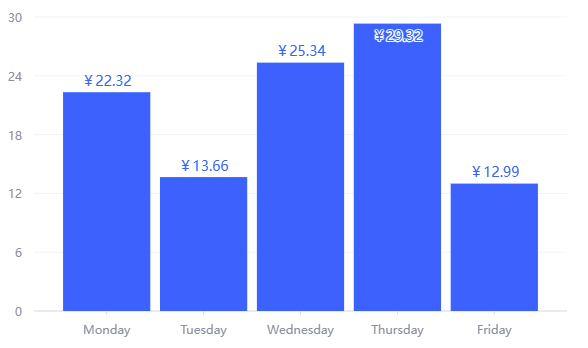
Formatting plugins in VChart support using formatters to update data display styles, enriching data display styles through simple configuration:
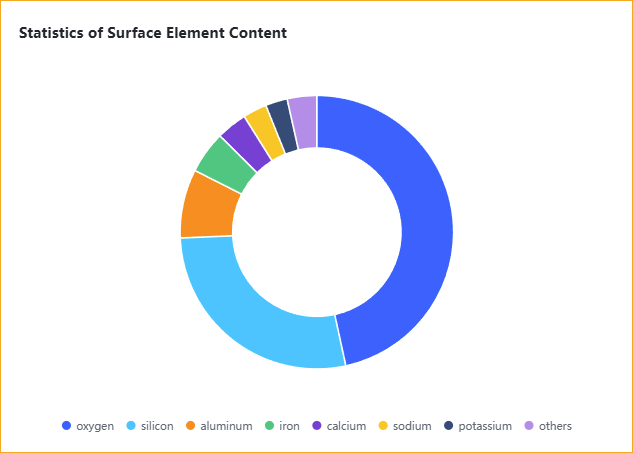
The media-query plugin module implements media query functionality. To facilitate understanding, a demo from the official website can be used to explain:
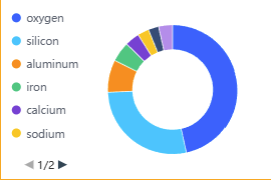
Observing this example, it is not difficult to find that under the effect of media queries, by declaring media query logic, the style changes of the chart's dynamic layout at different heights are achieved:
When the chart height ≤ 200px:
The legend direction changes to the left side, with padding of 0.
The title is hidden.
The chart padding is 10.
When the chart height > 200px:
Restore default styles.
Simply put, the media-query plugin of VChart supports us in triggering actions to rearrange the chart layout, achieving responsive design of the chart, enhancing user experience and development efficiency.
In the next chapter, I will provide a deeper interpretation of the specific implementation mechanism of the plugin:
This document was revised and organized by the following personnel