


Under the issues section of each project, you can create and search for issues.
For example, VRender issues: https://github.com/VisActor/VRender/issues
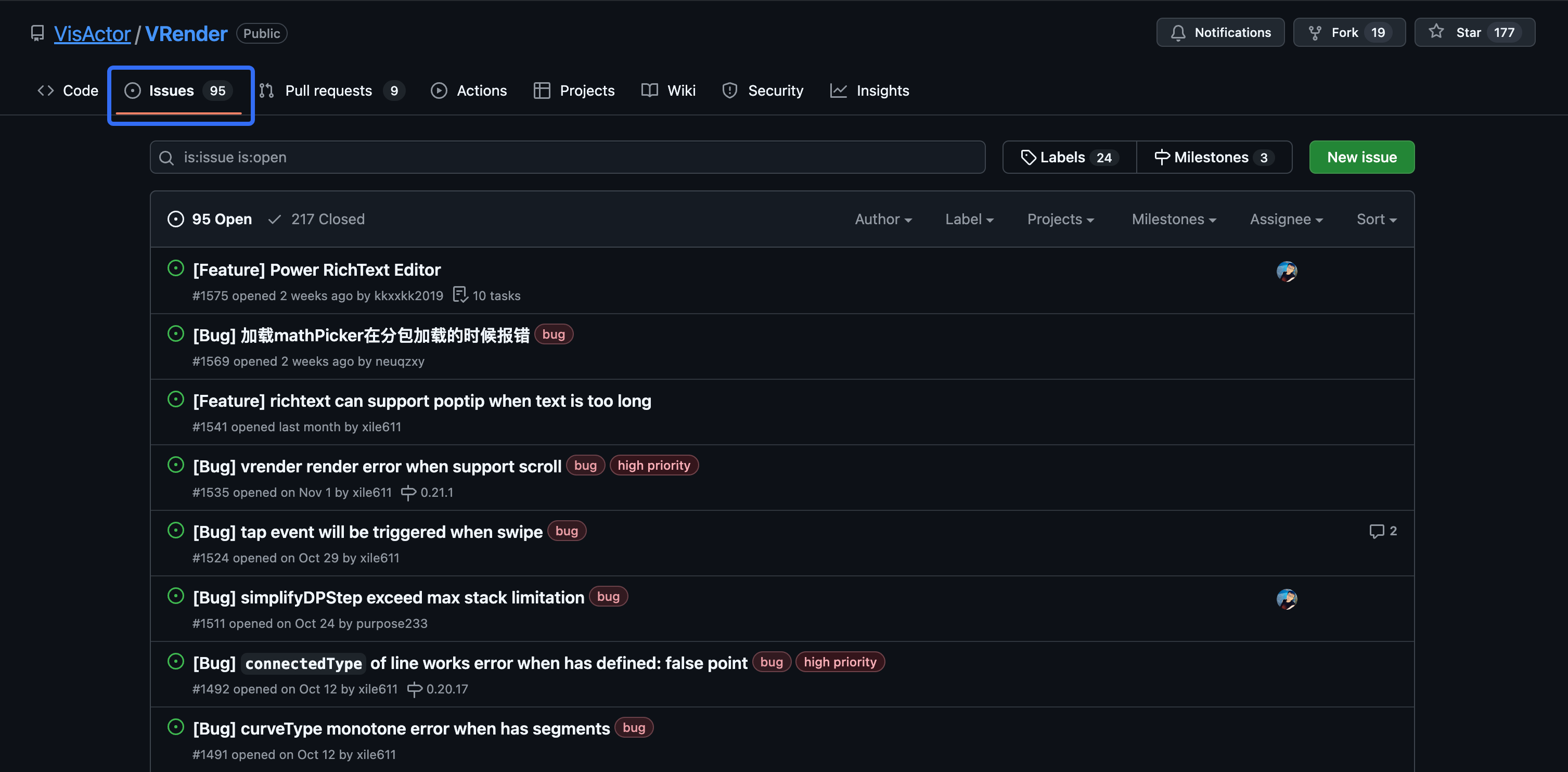
Check for Existing Issues
You can use the search filter to check the details of existing issues to see if a similar issue already exists.
Create an Issue
If you don't find a similar issue, you can click the "New issue" button.
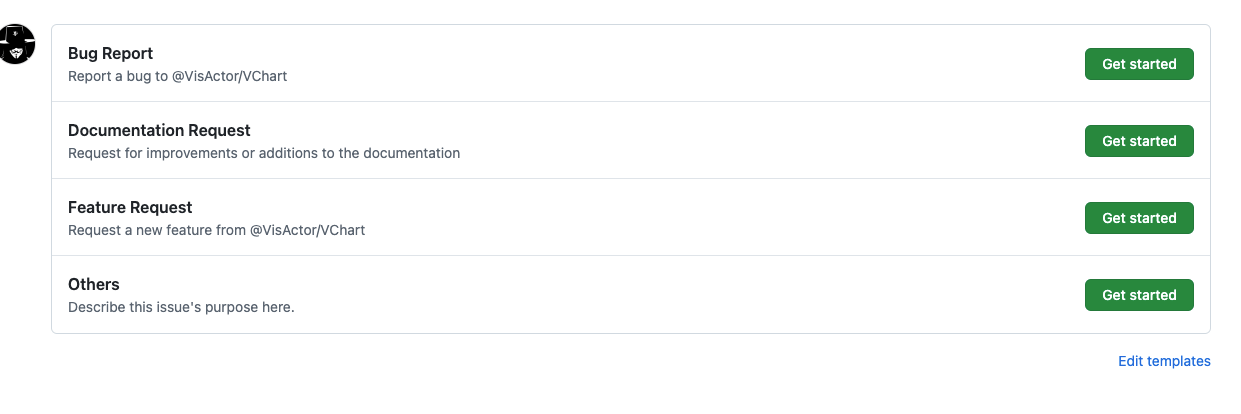
Select "Documentation Request," click the "Get Start" button, and fill out the issue form.
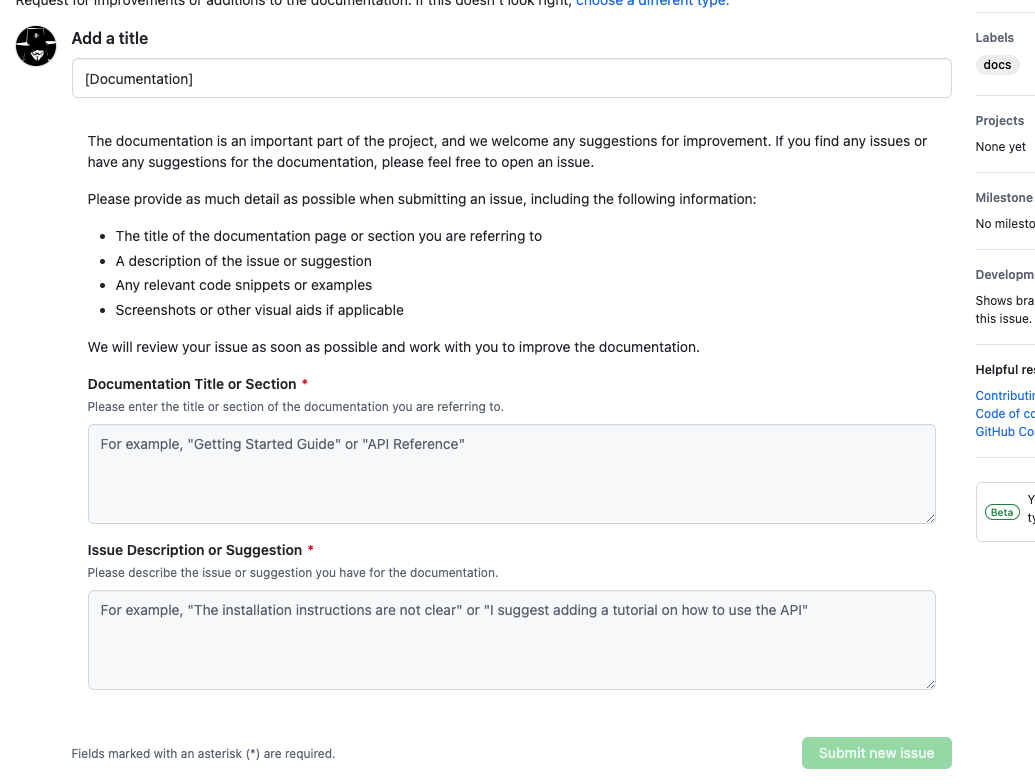
Submit the Issue
After filling out the issue form, click the "Submit new issue" button to submit your issue.
Follow Up on the Issue
Once you have submitted the issue, you can check the status of your issue in the repository's "Issues" tab. The project developers may ask for more information or inform you that they are working on the issue.
Close the Issue
If your problem has been resolved or your request has been fulfilled, the project developers will close the issue. You can also close the issue yourself if you believe the problem has been resolved or no longer need further assistance.
By following these steps, you can successfully raise an issue for an open-source project on GitHub. Remember to describe the issue in as much detail and clarity as possible, as this will help the project developers understand and address your problem more quickly.
Next Steps
By now, you are familiar with the concept of raising issues. Next, please continue reading the next section of the tutorial to start different types of tasks.
GitHub: github.com/VisActor
VisActor WeChat subscription account (you can join the WeChat group through the subscription account menu):

VisActor Official Website: www.visactor.io/
Feishu Group:

Discord: https://discord.com/invite/3wPyxVyH6m