


How to align bar chart labels to the left and keep their styles consistent?
Problem Description
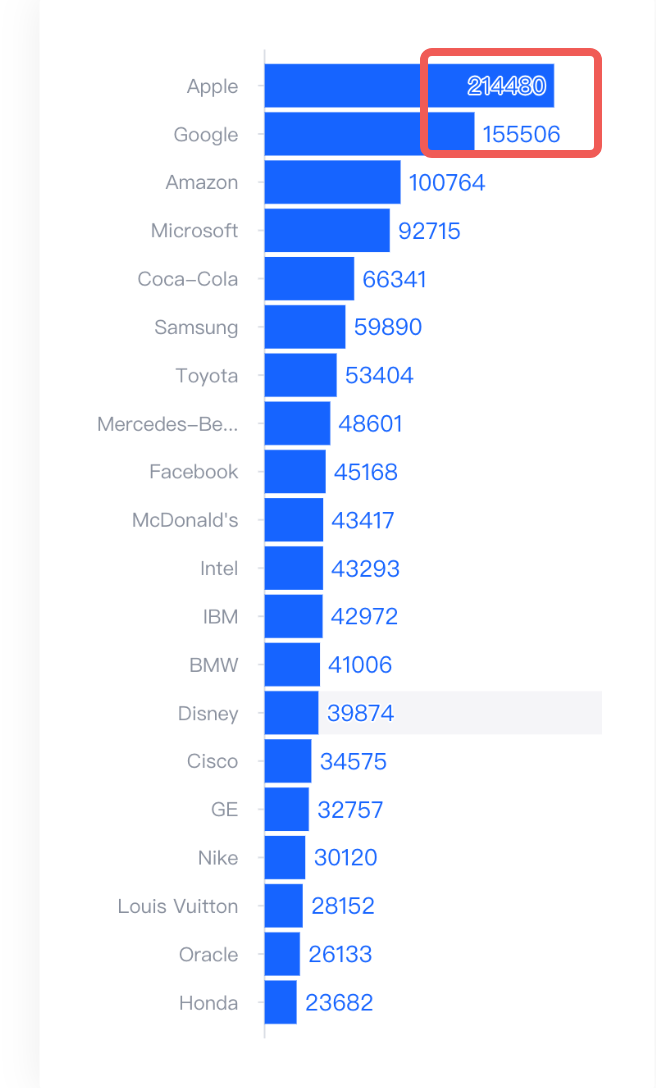
As shown in the figure, can the labels in the bar chart be aligned to the left? Why are the styles of the labels not exactly the same?
Solution
- The position of the label can be configured through
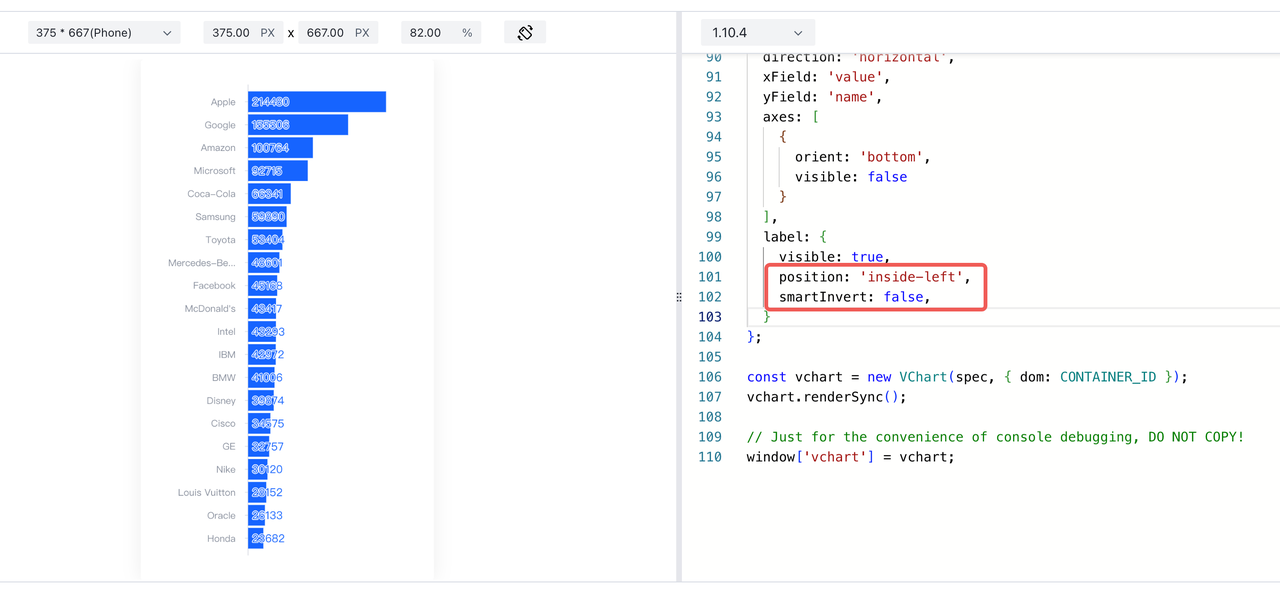
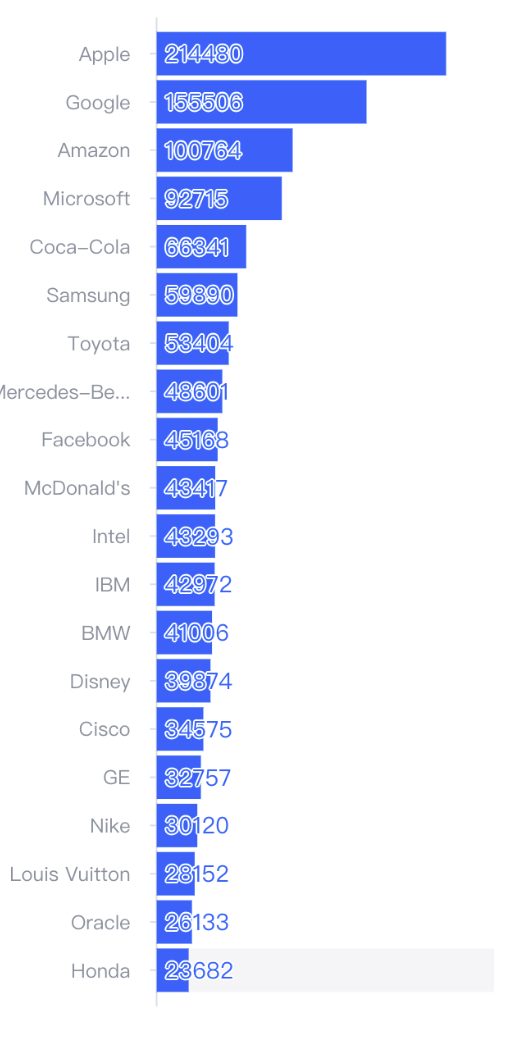
label.position. By default, the label of the bar chart is outside the graph, so it is not left-aligned. By settinglabel.positiontoinside-left, the left-alignment effect can be achieved. - When the label position of the bar chart is
inside-left, smart inversion will be enabled, which may cause style inconsistencies. You can turn off smart inversion manually.
Code Example
const spec = {
  type: 'bar',
  data: [
    {
      id: 'barData',
      values: [
        {
          name: 'Apple',
          value: 214480
        },
        {
          name: 'Google',
          value: 155506
        },
        {
          name: 'Amazon',
          value: 100764
        },
        {
          name: 'Microsoft',
          value: 92715
        },
        {
          name: 'Coca-Cola',
          value: 66341
        },
        {
          name: 'Samsung',
          value: 59890
        },
        {
          name: 'Toyota',
          value: 53404
        },
        {
          name: 'Mercedes-Benz',
          value: 48601
        },
        {
          name: 'Facebook',
          value: 45168
        },
        {
          name: "McDonald's",
          value: 43417
        },
        {
          name: 'Intel',
          value: 43293
        },
        {
          name: 'IBM',
          value: 42972
        },
        {
          name: 'BMW',
          value: 41006
        },
        {
          name: 'Disney',
          value: 39874
        },
        {
          name: 'Cisco',
          value: 34575
        },
        {
          name: 'GE',
          value: 32757
        },
        {
          name: 'Nike',
          value: 30120
        },
        {
          name: 'Louis Vuitton',
          value: 28152
        },
        {
          name: 'Oracle',
          value: 26133
        },
        {
          name: 'Honda',
          value: 23682
        }
      ]
    }
  ],
  direction: 'horizontal',
  xField: 'value',
  yField: 'name',
  axes: [
    {
      orient: 'bottom',
      visible: false
    }
  ],
  label: {
    visible: true,
    position: 'inside-left',
    smartInvert: false,
  }
};</br>
Result Display
Related Documentation
Smart Invert Configuration: https://visactor.com/vchart/option/barChart#label.smartInvert
Label Configuration: https://visactor.com/vchart/option/barChart#label.position
github: https://github.com/VisActor/VChart